Online meetings are usually the fastest way to learn about Unisoft software. Email (enable JavaScript for our email addresscells.php) or call (enable JavaScript for our phone number).
Also get your trial license now and the first license is free and fully functional!
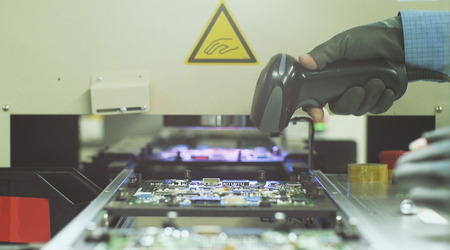
Instead of paying exorbitant costs for Manufacturing Execution System (MES)
software, consider using Unisoft's cost-effective CELLS Workflow MES software.
Download Unisoft's CELLS Workflow MES
and create a route for your product to begin tracking and reporting immediately.
The CELLS Workflow MES is well-priced and has a specialized design for
tracking items in the electronics manufacturing sector, including PCB board and
box build. The CELLS Workflow MES can also be used in a variety of
non-electronic industrial areas.
Software from Unisoft has been
reasonably priced for more than 35 years. Each license for the CELLS Workflow
MES costs $280 per year. These licenses are floating licenses, allowing you to
distribute a single license among numerous users on an unlimited number of
workstations. For instance, the cost per year for four concurrent users is
$1120. For larger installations, a plant-wide site license that costs $8400 a
year allows for an unlimited number of concurrent users. Large businesses
will benefit much from this pricing, while tiny businesses who require thorough
tracking but cannot afford the hefty costs will benefit even more.
Free software trial available.
Manufacturing's complexity and level of competition keep rising. Although
there is a demand for lower costs and improved standards of compliance and
regulations, product cycles are getting shorter. On their shop floors, the vast majority of manufacturers continue to use
paper, spreadsheets, etc. ERP and other executive systems manage sales orders,
invoices, etc., but they frequently perform subparly in managing manufacturing
floors. Production floor management is the sole purpose of a Manufacturing
Execution System (MES). The CELLS Workflow MES software takes this a step
further by drilling down with particular functionality for PCB manufacturing
electronics, all at a great price.
Although the learning curve, start-up
costs, and start-up durations can be very high, you are aware that you must
begin tracking and reporting in order to be competitive in the modern
marketplace. If you use Unisoft's CELLS Workflow MES
software, you'll be pleasantly surprised by its affordability and usability.
CELLS Workflow MES Manufacturing Execution System software is straight forward simple to setup yet powerful product and job tracking software for fast New Product Introduction (NPI). CELLS Workflow MES has been used by our customers for over 35 years. The CELLS Workflow MES software provides total traceability in manufacturing floor operations for compliance, customer requirements and regulatory standards. Compliance to both internal or external standards is a key factor in a manufacturers growth. CELLS Workflow MES Product Tracking software collects real-time data for all your product builds electronic or non-electronic. At each step of the manufacturing process the CELLS Workflow MES Manufacturing Execution System makes the process more efficient and effective through the discipline it enforces. The system forces the workers to do things the right way. The end results are fewer errors and higher yields. For both board and box build deliver build instructions and collect quality data from your assembly process while performing in-process serial registration and enforced routing ensuring quality processes are implemented. Know the WIP status of every unit in any work order and have all build history data available.
VIDEO: Click the video above for CELLS Workflow MES.
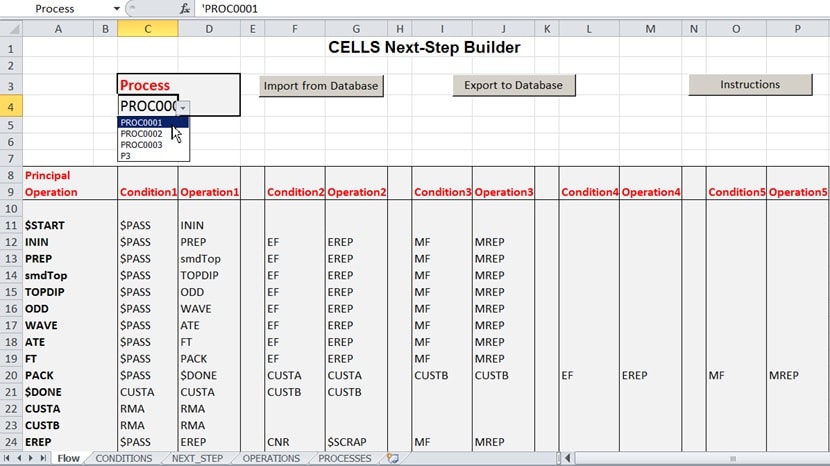
Easily create your production routings that specify the steps that are used to manufacture your product in minutes.
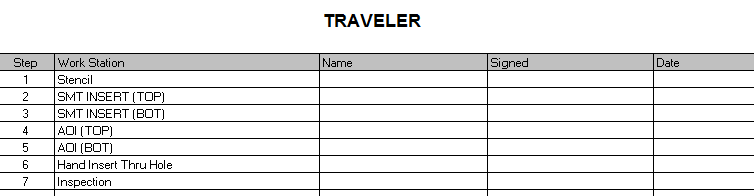
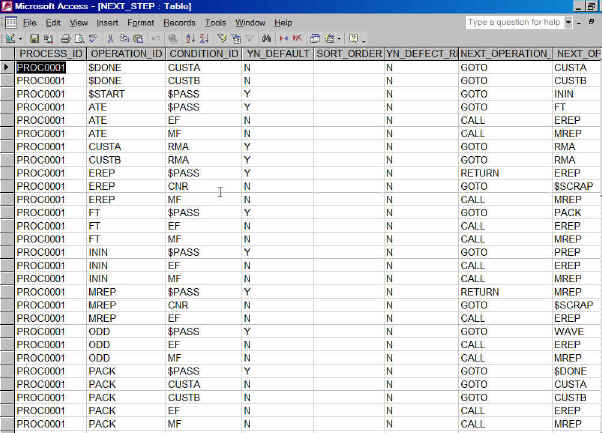
A simple straightforward Excel route builder creates new production process routings in minutes. Create new process routing from scratch or import an existing process routing then modify and export out as your new process routing. Once your process routing is created it's time for production to build your product as outlined in the next few pictures that follow.
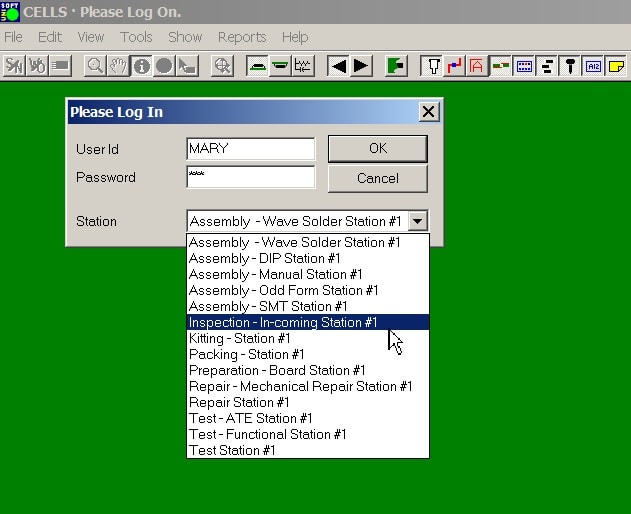
Above the operator Logs In to start the process
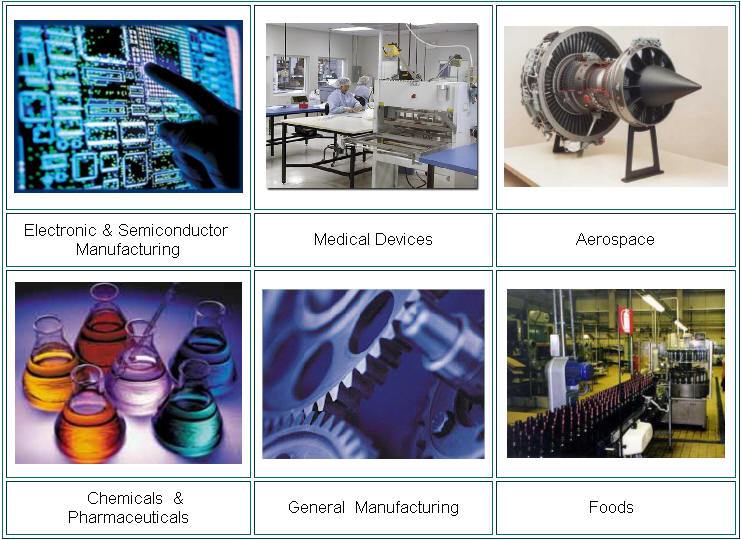
The next few pictures that follow show features of CELLS and these example pictures used are for electronics manufacturing. However process is process and CELLS can be used in virtually any industry such as medical, chemicals, aerospace, pharmaceuticals, foods, apparel, textiles, etc. Simply display the documents specific to your products and industry directly on to the display or in organized menus.
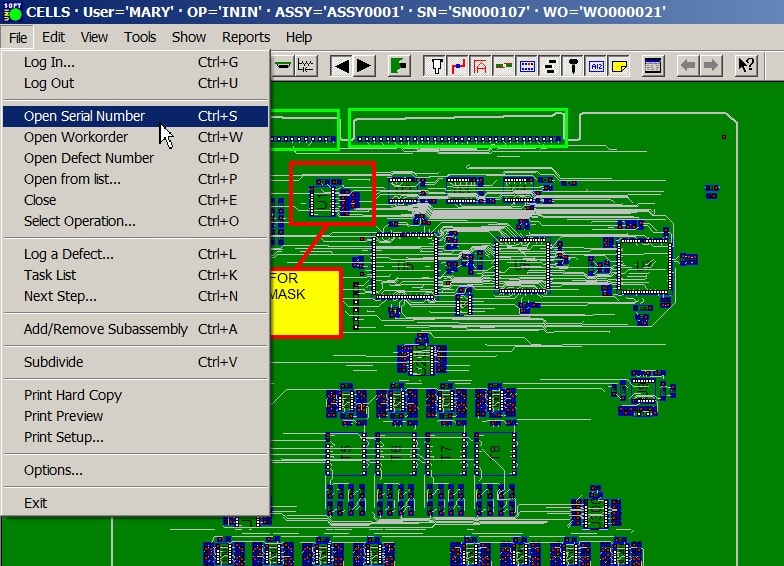
The operator opens the work to be performed: Work can be open by bar code serial number, work order, WIP operation, defect, etc.
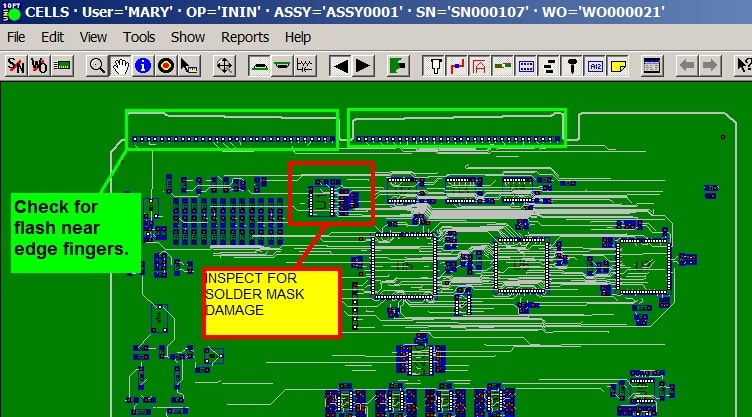
The operator inspects, assembles, etc. as directed for that step in the process.
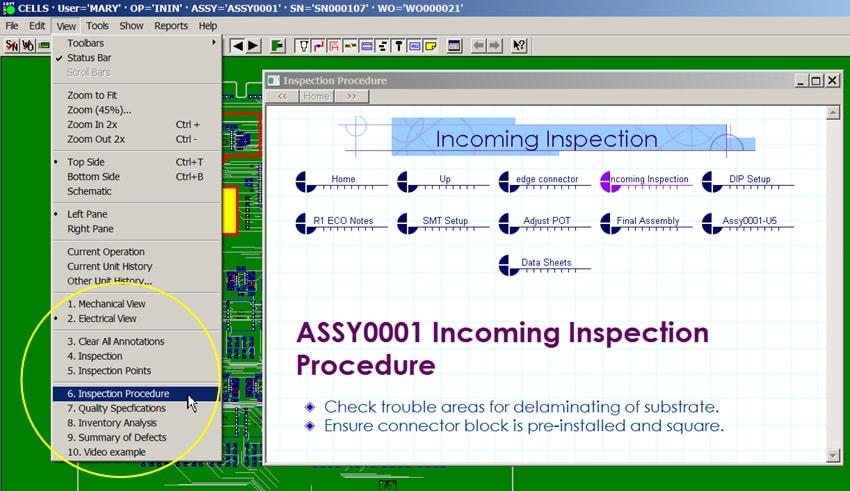
The operator has linked documents of virtually any type at their finger tips for each step in the process routing.
At each step in the process only the documents needed for that step are made available. Pop documents automatically to the screen display or if needed just make them available to the operator in selectable menus.
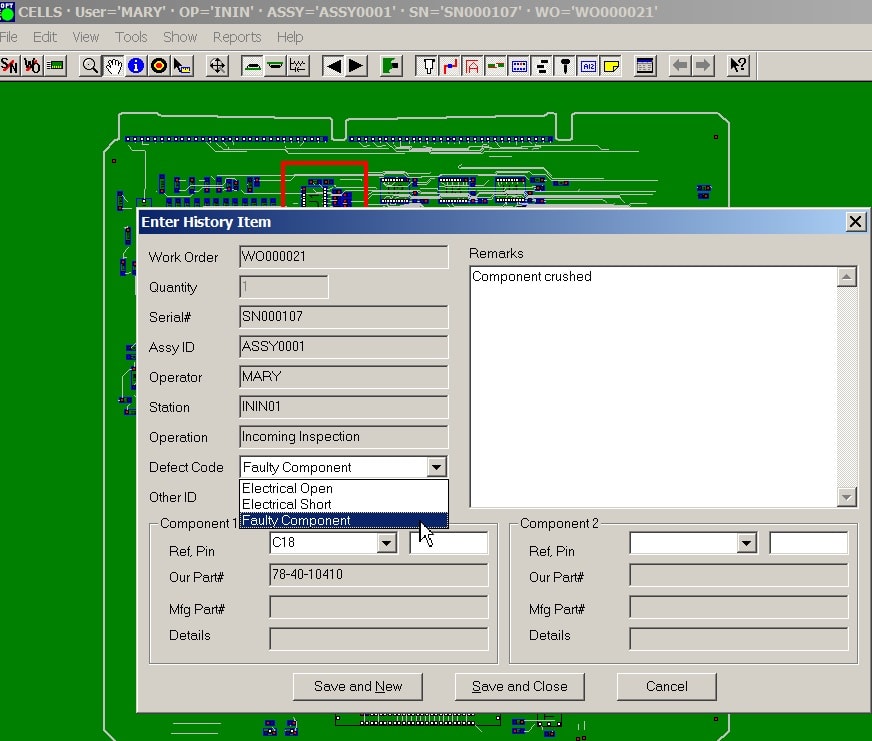
The operator can log fault data, date codes, etc.
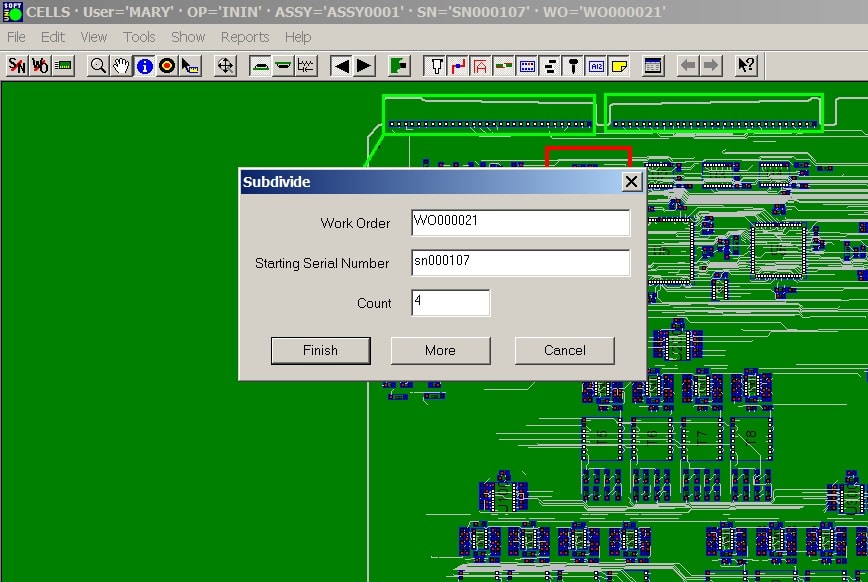
The operator can breakout and track panelized units if needed.
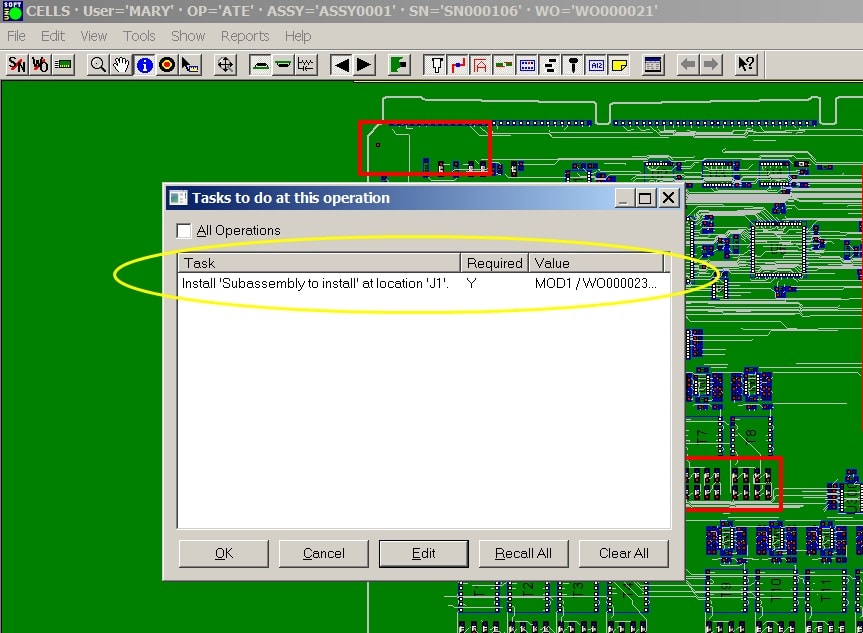
The operator can add sub-assemblies for box build or remove sub-assemblies for disassembly as allowed for that process step.
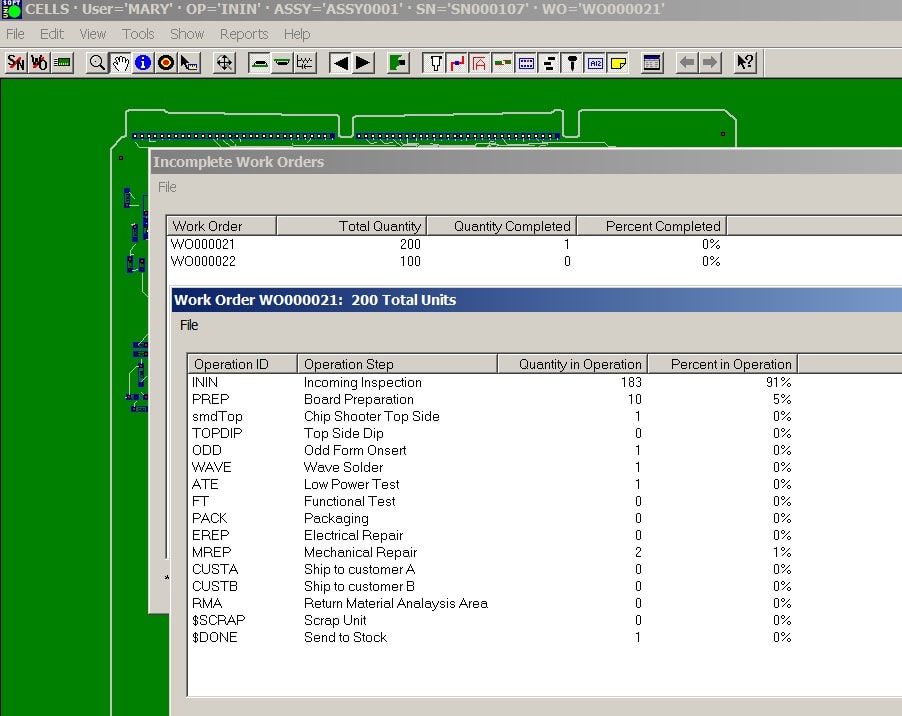
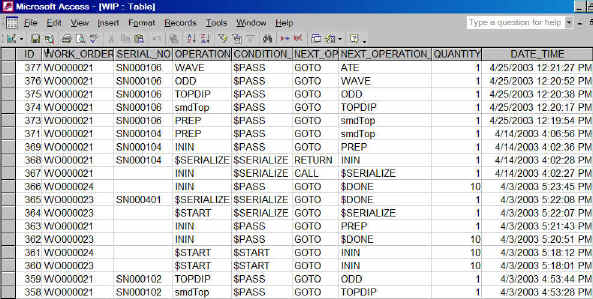
REPORTS: Management or operators as allowed can check status of a unit, work order or all Work In Process (WIP) on the production floor. Review history of shipped product and RMA. Details by serial number, operator, operation, time/date, etc.
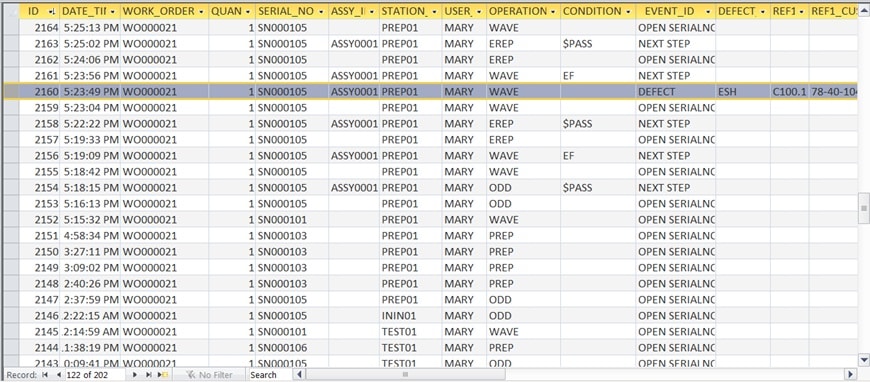
The data CELLS WORFLOW collects can be stored in any ODBC (Open Database Connectivity) compliant database such as Microsoft Access, SQL Server, Oracle, MySQL, etc.
The data is open for queries such as routing progress status and quality. Data collected can be integrated into other systems such as MRP, ERP, etc.
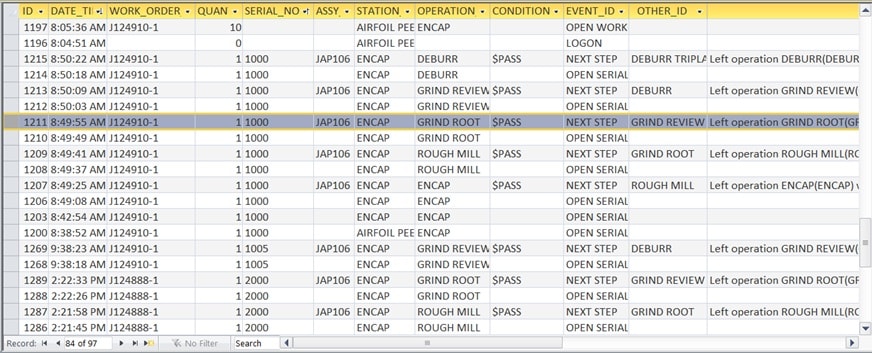
CELLS Workflow MES can be used in all types of industries. In the figure above for example for jet engine blade manufacturing.

Unisoft CELLS Workflow MES Manufacturing Execution System software provides a complete Production Floor Product Tracking System that you can test drive today. CELLS Workflow MES embodies a straight forward methodology for tracking product and reporting progress.
Unisoft, founded in 1985, offers powerful, full featured Manufacturing Execution System (MES) CELLS Workflow. CELLS Workflow MES provides Plant Intelligence, lean manufacturing and integrates shop floor processes and critical data with ERP and management information systems. The CELLS Workflow MES software provides total traceability in manufacturing floor operations for compliance, customer requirements and regulatory standards. Compliance to both internal or external standards is a key factor in a manufacturers growth.
The CELLS Workflow MES Manufacturing Execution System has been in use on our customers production floors for over 35 years, a decade record of excellence (FDA compliant / UL and ETL certification support).
Small to large manufacturers now have the Factory Intelligence to increase overall efficiency in all critical areas of production with CELLS Workflow MES is a surprisingly easy to use solution for tracking product, order status, collecting data, delivering documents and more.
The CELLS Workflow MES Manufacturing Execution System is easy to implement, go-live in week one.
Contact us for more information.
Click here for software download & more information!

Please double check that your email address is correct.
Email addresses are kept private.
The software download link, more information and periodic updates will be sent to this address.
Optionally to receive your software call us (enable JavaScript for our phone number).
Click here for software download & more information!
Building military, medical, consumer products, etc?
Need to track every job in your factory?
Need instant status of every work and sales order on your production floor?
Within an hour you will be tracking your first product.
Literature: Click here for more literature.

CELLS Workflow MES Manufacturing Execution System software lets you manage and deliver:
A possible next step in your evaluation is an informal online demo. To do the demo now or schedule one contact us.
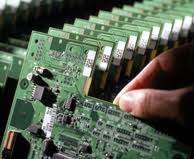
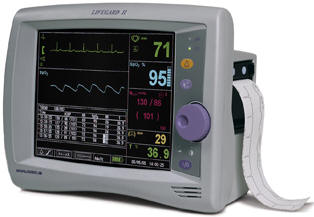
| $START | pass go to INCOMING INSPECTION |
| INCOMING INSPECTION | pass go to BOARD PREP or EF or MF or CNR |
| BOARD PREP | pass go to SERIALIZE UNITS or EF or MF or CNR |
| SERIALIZE UNITS | pass go to SMT PICK & PLACE TOP SIDE or EF or MF or CNR |
| SMT PICK & PLACE TOP SIDE | pass go to THRU HOLE INSERTION TOP SIDE or EF or MF or CNR |
| THRU HOLE INSERTION TOP SIDE | pass go to HAND ASSEMBLY PARTS or EF or MF or CNR |
| HAND ASSEMBLY PARTS | pass go to WAVE SOLDER or EF or MF or CNR |
| WAVE SOLDER | pass go to AUTOMATIC IN-CIRCUIT TEST or EF or MF or CNR |
| AUTOMATIC IN-CIRCUIT TEST | pass go to CAPTURE TEST DATA or EF or MF or CNR |
| CAPTURE TEST DATA | pass go to ATTACH SUB-ASSEMBLY |
| ATTACH SUB-ASSEMBLY | pass go to FUNCTIONAL TEST |
| FUNCTIONAL TEST | pass go to PACKING or EF or MF or CNR |
| PACKING | pass go to $DONE |
| $DONE |
| $START | pass go to PLANNING |
| PLANNING | pass go to STAGING or MRB |
| STAGING | pass go to QC or MRB |
| QC | pass go to OUTSIDE VENDOR or MRB |
| OUTSIDE VENDOR | pass go to WELD or MRB |
| WELD | pass go to MACHINE SHOP or MRB |
| MACHINE SHOP | pass go to FABRICATION or MRB |
| FABRICATION | pass go to ASSEMBLY or MRB |
| ASSEMBLY | pass go to STOCKROOM or MRB |
| STOCKROOM | pass go to $DONE or MRB |
| $DONE |
| $START | pass go to PROCESS ORDER |
| PROCESS ORDER | pass go to CUTTING or MRB |
| CUTTING | pass go to SEW or MRB |
| SEW | pass go to HOLDING TANK or MRB |
| HOLDING TANK | pass go to SEWING IN APPLIQUE or MRB |
| SEWING IN APPLIQUE | pass go to SEWING IN EMBROIDRY or MRB |
| SEWING IN EMBROIDRY | pass go to PRINTING or MRB |
| PRINTING | pass go to INSPECTION or MRB |
| INSPECTION | pass go to SHIPPING or MRB |
| SHIPPING | pass go to STOCK/SHIPPED or MRB |
| STOCK/SHIPPED | if RMA go to PROCESS ORDER |
| $START | Pass go to ENOUGH_SYRUP |
| ENOUGH_SYRUP | Pass go to PRE_MIX or NEED_SYRUP go to BUY_SYRUP |
| BUY_SYRUP | Pass go to PRE_MIX |
| PRE_MIX | Pass go to FILL_BOTTLE or NOT_SWEET go to SWEETEN or TOO_SWEET go to $SCRAP |
| SWEETEN | Pass go to FILL_BOTTLE |
| FILL_BOTTLE | Pass go to PACKAGING or NOT_300ML go to FILL_300ML |
| FILL_300ML | Pass go to PACKAGING |
| PACKAGING | Pass go to $DONE |
| $DONE | |
| $SCRAP |
$START >
KITTING > BLANK > FRAME > PUNCH > STENCILS > VIA FILL > CONDUCTORS > INSPECTION > LAMINATION >
GREEN CUT > FIRE > FLATNESS > SAW > POST PRINT > TEST > POST PRINT2 > TEST2 > RESISTOR TRIM > IQA >
OVERCOAT PRINT > TEST3 > QCI > TEMP CYCLE > FQA > CREATE DATA PACKET > STOCK/SHIPPED >
$DONE
$START >
LOAD MODULES > APPLY SOLDERING FLUX > APPLY WIRE > HEAT WIRE > MODULES IN TRAY > ULTRASOUND CLEAN >
DRY > LOAD ASSEMBLY FIXTURE > FLUX MODULE GROUPS > SOLDER MODULE GROUPS > TEST GROUP VOLTAGE >
LOAD GROUPS PANEL > INSERT/SOLDER METALLIC STRIP > ADD GLASS LAYER > ADD LAMINATE LAYER >
APPLY SEALING FILM > PLACE IN VACUUM OVEN > TEST PANEL VOLTAGE >
$DONE
$START >
ACCEPTANCE > PRE-INSPECTION > WASH BAY IN > WASH BAY OUT > BLAST BOOTH IN > BLAST BOOTH OUT > PREP BAY IN >
PREP BAY OUT > PAINT BOOTH IN > PAINT BOOTH OUT > QUALITY INSPECTION > ACCEPTANCE INSPECTION > RELEASE >
$DONE
$START >
REGULAR PREP > SPECIAL PREP > LARGE FORMAT SCAN > INDEXING > STORAGE > BURN >
$DONE
$START >
PREP > MIX > QA > LABLE-BOTTLE > PACKAGING > SHIPPING >
$DONE
$START >
ENCAP > ROUGH MILL > GRIND ROOT > GRIND REVIEW > DEBURR > DEBURR TRIPLANE > PART MARK > TIP CUT >
SLOT MILL > DEBURR/TIP POLISH > TUMBLE/STRESS > CMM - SLOT > VIS > JAK PART MARK > PENDING ETCH >
ETCH > FPI > SURFACE CHECK > AIRFOIL PEEN > ROOT PEEN (JAP) > VIS ROOT PEEN (JAP) > MEDIA (JAK) >
SURFACE CHECK 2 > CMM - FINAL > CMM - REVIEW > ROOT PEEN (JAP) 2 > VIS ROOT PEEN (JAP) 2 > PENDING COAT >
COAT/PLATE/ANTIGALL > RECEIVE > TUMBLE (JAP) > FINAL INSPECTION > SOURCE > SHIP >
$DONE
$START >
TOOL_HUB-LAP > TOOL_LN-STAMP > TOOL_PLATING > TOOL_OD > TOOL_MEASURE > TOOL_PLATE-LAP >
TOOL_CUT BACK > TOOL_ETCH > TOOL_DRESSING > TOOL_EP > TOOL_SILICON-DRESS > TOOL_PN-STAMP >
TOOL_QA INSPECTION > TOOL_PACK > TOOL_SHIP >
$DONE
$START >
ACCEPTANCE > PRE-INSPECTION > WASH BAY IN > WASH BAY OUT > BLAST BOOTH IN > BLAST BOOTH OUT > PREP BAY IN >
PREP BAY OUT > PAINT BOOTH IN > PAINT BOOTH OUT > QUALITY INSPECTION > ACCEPTANCE INSPECTION > RELEASE >
$DONE
$START >
PREP SETUP > 1ST INSPECTION > SURFACE TEST 1 > 1ST COAT > SURFACE TEST 2 > 2ND COAT >
SURFACE TEST 3 > 2ND INSPECTION > FINISH COAT > FINAL INSPECTION > PACK > SHIP >
$DONE
$START >
PRIMARY CUT > ANNEALING > BENDING > TRIM CUT > THREADING > CHROME PLATING > PACKAGING >
$DONE
$START >
RECEIVING > INCOMING INSPECTION > TEARDOWN > INSPECTION > MACHINE > ASSEMBLY > FINAL QA >
$DONE
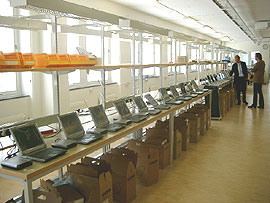
The CELLS Workflow MES Manufacturing Execution System enables "Paperless" factory automation at every work cell in your plant. Production Floor Management, Plant Execution System, MES, Process Control, Product Traceability, order tracking, WIP Inventory Tracking, RFID tag enabled, Repair Loop, Workflow Management, SPC, Document Delivery, and Data Collection in one easy to use, integrated package. CELLS Workflow MES is a cost effective solution providing the Plant Intelligence for making your job easier and saving your company money. Contact us for details.
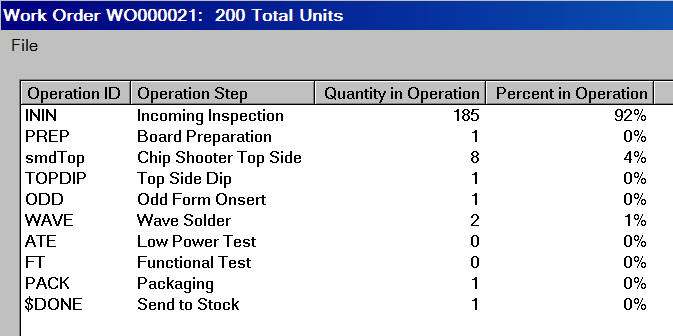
The CELLS Workflow MES Manufacturing Execution System provides reports to quickly detail production status. For example the simple report below is available from the Report menu and displays a Work Order Summary with one line per work order. It is viewable by current unfinished WIP, date range, etc.

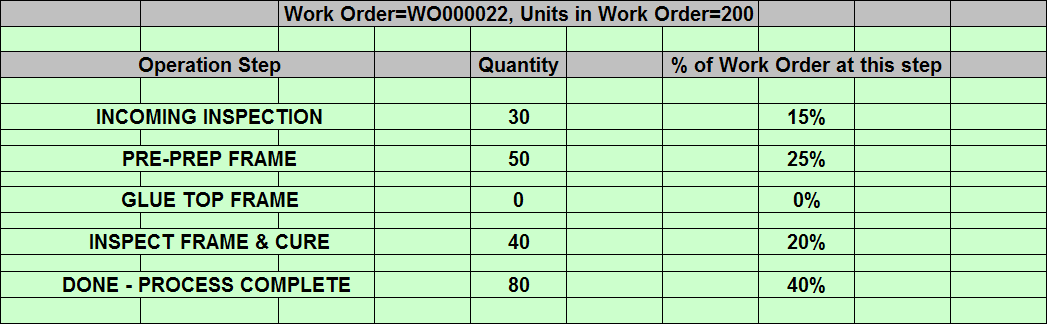
Double click on a work order line and a second drill-down report is displayed showing detailed status for each operation step in the work order. The drill-down report for work order WO000022 might look like this reporting 120 units yet to be finished and 80 completed:
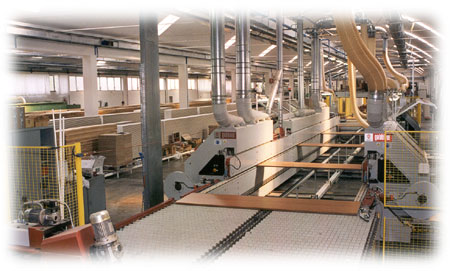
Woodworking / Cabinetry
TUTORIAL MOVIE: If you have not already done so we suggest that you watch the tutorial movie which displays many of the features of the software and will save you time in your product evaluation. Go to our Literature Request page to download the CELLS Workflow MES tutorial movie.
SLIDE SHOW: Download CELLS Workflow MES defect tracking software slides.
"I still can't stop thinking about the extremely high number of practical applications this thing has in ALL assy manufacturing plants. So many companies are out there trying to become "World Class", and I keep thinking … "if they only had this software". I know it's not just my Process/Industrial Engineering background that makes me feel this way. From a control, continuous improvement, and Operations Management standpoint … the CELLS Workflow MES Product Tracking Manufacturing Execution System software is a hidden treasure."
John White, CEO
The Training Times
WHAT WE DO? — CELLS Workflow MES software integrates and automates factory shop floors in just about any manufacturing environment. Our typical customer requires traceability, finding the status of orders, WIPtracking, process and quality control, a paperless working environment, and productivity improvement in diverse markets such as electronics, medical devices (FDA compliant), aerospace, contract manufacturing, pharmaceuticals, process industries, and general manufacturing.
WHAT PROBLEMS DO WE SOLVE? — From Six Sigma programs to FDA auditory requirements, today's manufacturers must track, and have traceability, of all phases of the manufacturing process. The CELLS Workflow MES Manufacturing Execution System is an easy to use solution for this challenge and it pays for itself.
CELLS Workflow MES Main Benefits — We integrate shop floor processes at every work cell and critical data "Factory Intelligence" with ERP and management information systems.
HOW? — The CELLS Workflow MES Manufacturing Execution System software enables "Paperless" factory automation with Process Control, Product Traceability, WIP Inventory Tracking, RFID tag enabled, tracking of orders, Workflow Management, Document Delivery, and Data Collection in one easy to use, integrated package.
CELLS Workflow MES is a complete Manufacturing Execution System for shop floor process control. Real time Work-In-Process, PDM, PLM and Shop Floor Inventory tracking. The CELLS Workflow MES Plant Execution System quickly attain better control, quality, faster time to market, improved utilization of manufacturing resources, reduced costs, define and enforce production procedures, capture comprehensive product and material history. Contact us for details.
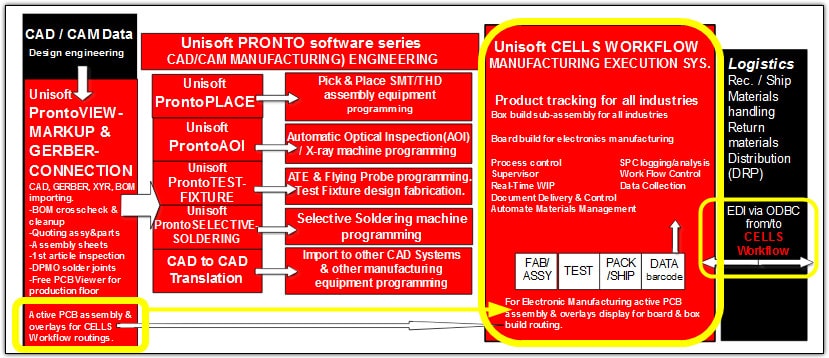
Below is a typical Unisoft CELLS Workflow MES Manufacturing Execution System solution for a shop floor control project for a mid-size general manufacturing plant
The CELLS Workflow MES Product Tracking Manufacturing Execution System software facilitates shop floor process/routing control, data collection, tracking orders, SPC, quality tracking, WIP/order/part tracking, Repair Loop, traceability, order status and document delivery. CELLS Workflow MES is paperless manufacturing and gives you real-time visibility of the shop floor AND with its Windows based software is user-Friendly and easy to set up. CELLS Workflow MES is also open ended for generating queries and reports (CELLS Workflow MES REPORTS). CELLS Workflow MES is RFID tag enabled for traceability throughout the product life cycle.
Productivity Improvement: The CELLS Workflow MES Manufacturing Execution System can help you track and reduce defects, control your process workflow, maintain traceability, and operations data can be linked to track location, output, and trends. Operating machinery condition can also be tracked to schedule preventive maintenance.
Efficiency: Cycle times can be improved and idle time reduced with real-time information and analysis. Manufacturing capacity and efficiency can be increased through reductions in rework and scrap. On time deliveries should improve and the need to manually search for parts eliminated.
Costs: WIP can be managed and reduced. Rework trends, problem areas, and actual costs tracked. Accuracy and updating of BOM's and routings can be more effectively managed. Actual labor and material usage and cost performance can be measured and tracked.
WORKFLOW — CELLS Workflow MES enables PAPERLESS Workflow from receiving, to production, assembly, testing, and shipping. With CELLS Workflow MES forced routing, customers have the ability to control and track shop floor transactions AND virtually eliminate assembly errors. Improved process control reduces cycle times and provides control where items go for their next step. CELLS Workflow MES Manufacturing Execution System allows for modification of routes as well as capturing the actual route and rework operations. Routings can be validated to avoid missed operations.
WIP/PRODUCT TRACKING — CELLS Workflow MES WIP tracking enables you to know where each part/assembly/serial/number/lot/work order is, where and WHEN it goes next, and how much work is waiting at each station. You'll be able to monitor, analyze, and reduce cycle times throughout the WIP process. Operation codes can be captured at each step to document work done to the part. With real-time visibility, management time can be better utilized on profit and productivity improvement. RFID tag enabled for traceability throughout the product life cycle.
DOCUMENT DELIVERY — The CELLS Workflow MES Manufacturing Execution System can be setup to automatically locate and display the latest documentation online for each Workflow step. Assembly instruction revisions are online, speeding the changeover of production runs. Users have access to documents on demand which are keyed to Workflow processes. CELLS Workflow MES can import and translate all common CAD and ECAD documents for viewing and utilizes the HL standard so you can view documents containing rich formatting, hyperlinks, illustrations, Active-X components, Java applets, and plug-ins. All rendered by Microsoft's Internet Explorer technology.
DATA COLLECTION & REPORTING (CELLS Workflow MES REPORTS) — The CELLS Workflow MES Manufacturing Execution System enables automatic logging of data from receiving, to production, assembly, testing, and shipping … any work station you choose. CELLS Workflow MES has the ability to capture data based on scanning (bar codes), keying, swiping, and other inputs of data from employees, work stations, parts, assemblies, lots, and work orders. With our ODBC capabilities, data is available real time for viewing or generating reports on:
Unisoft's CELLS Workflow MES software operates with a relational database and freely exchanges data with EXCEL, ACCESS and other reporting software packages that are ODBC compliant. The CELLS Workflow MES Manufacturing Execution System is provided with System security and flexibility to adapt to security protocols.
Requirements for Unisoft CELLS Workflow MES will vary depending on number of concurrent users and transactional activity. CELLS Workflow MES uses any ODBC compliant database such as Microsoft Access, SQL, or Oracle. Windows 98, NT, Windows 2000, XP and on the client side minimum of Microsoft Windows 95.
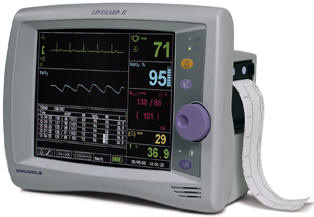
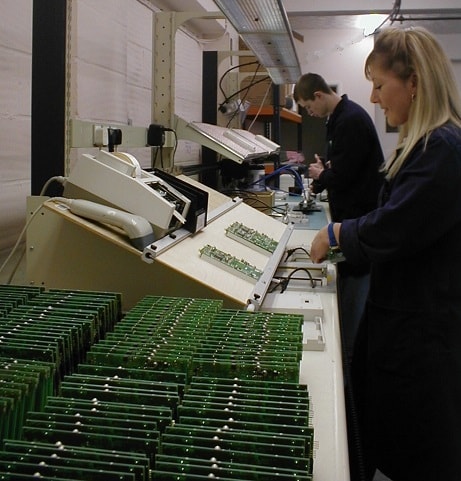
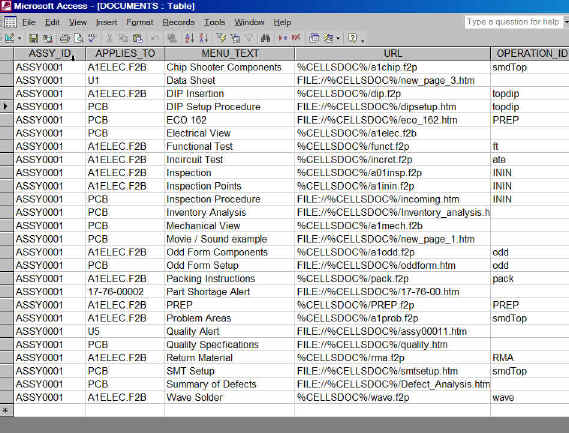
With the CELLS Workflow MES Manufacturing Execution System software the main screen can display different types of documents depending on your industry. If you manufacture lawn mowers then possibly show an AutoCAD or Adobe PDF drawing with a break out of the gasoline engine sub-assembly with the current piece to be assembled highlighted. CELLS Workflow MES can aid the assembly and tracking of any type of product in any industry and this allows CELLS Workflow MES to be used throughout the different production areas in your company without having to utilize multiple tracking systems. Display Adobe PDF, HTML, MS WORD, CAD files, DXF, etc.
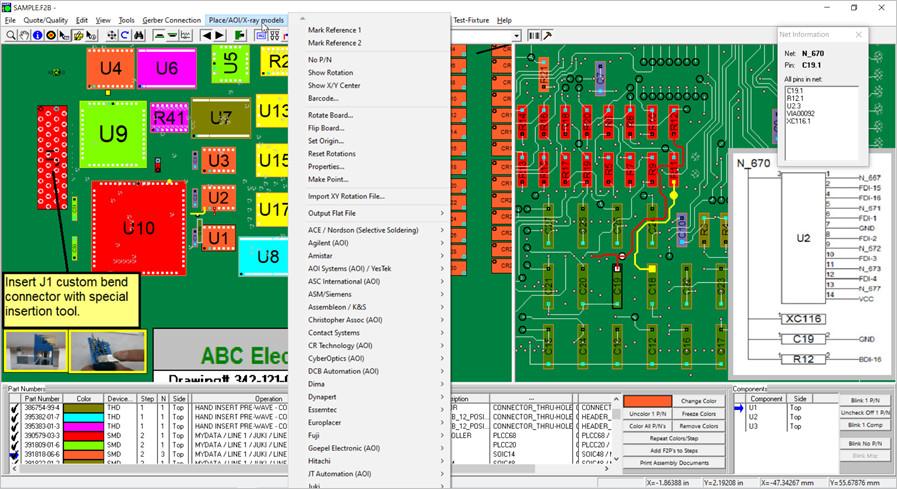
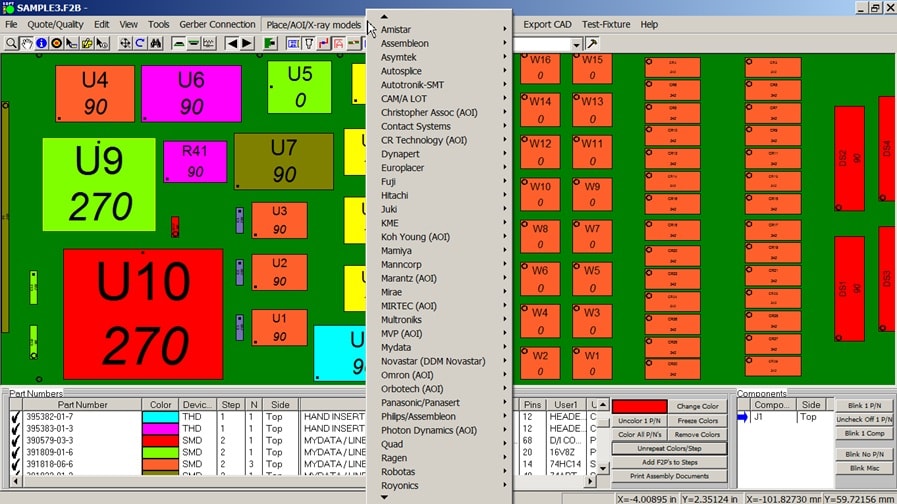
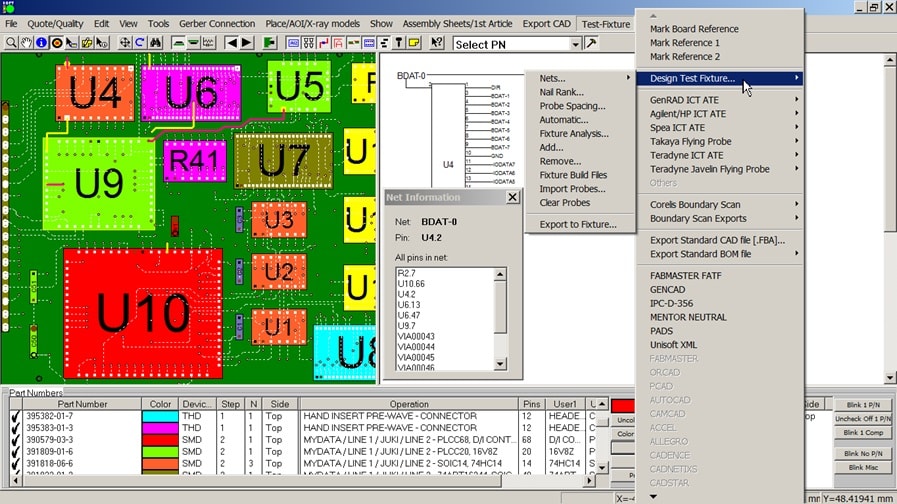
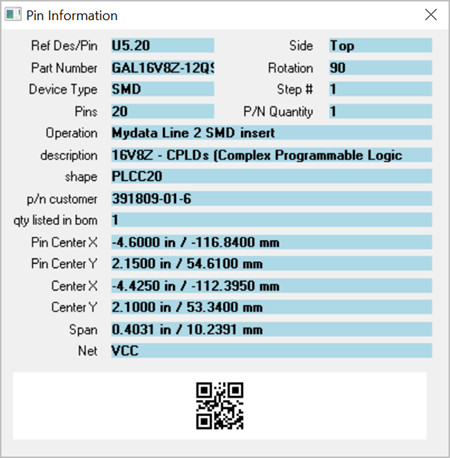
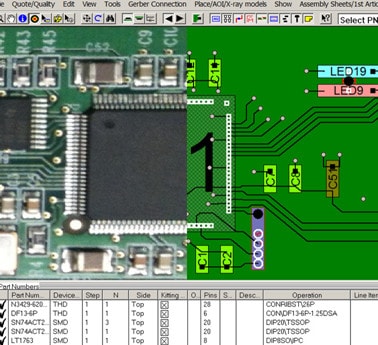
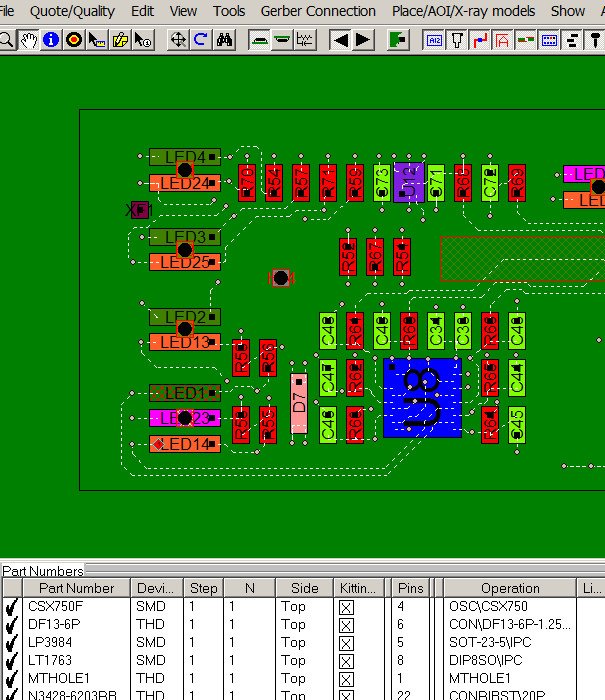
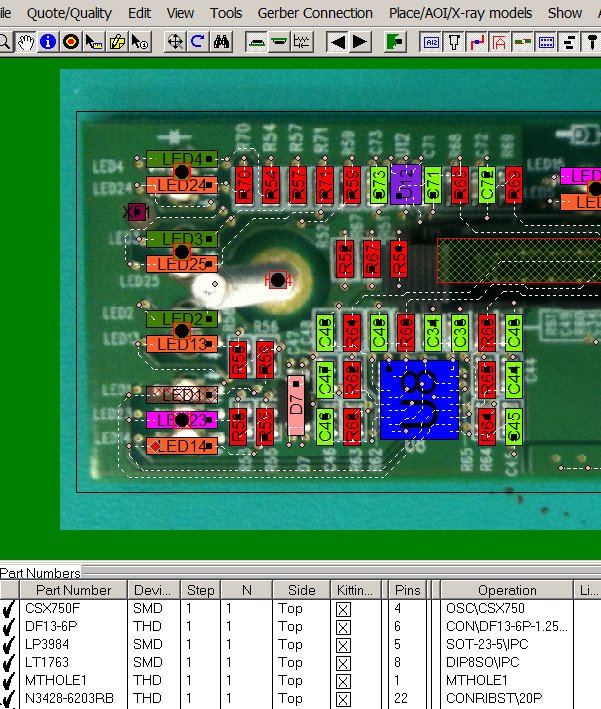
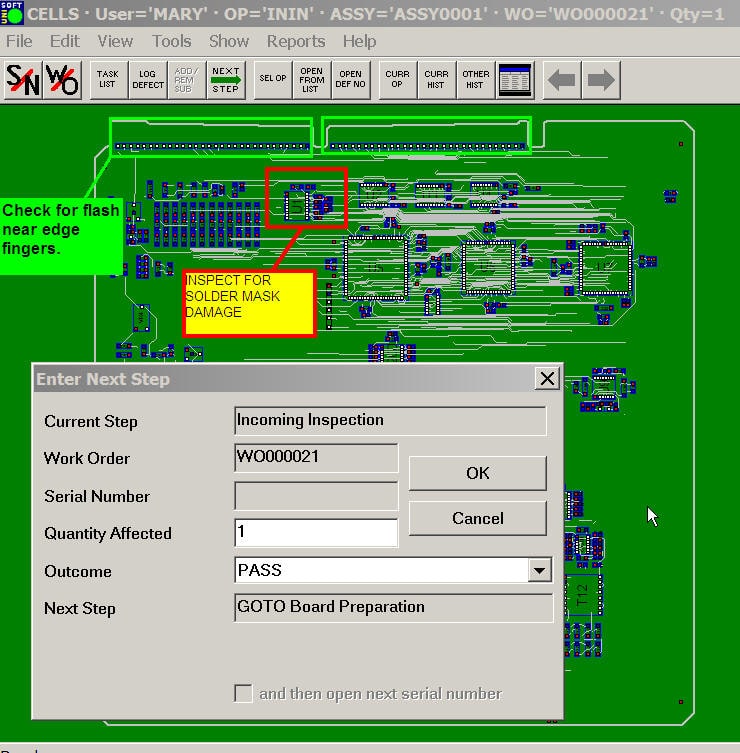
If you are an electronics manufacture then the CELLS Workflow MES Manufacturing Execution System includes all the rich display capabilities of our ProntoVIEW-MARKUP software. So in addition to the standard tracking and routing features of CELLS Workflow MES the user can import and display virtually any CAD, ECAD, Gerber or BOM file. Then CELLS Workflow MES displays your PC Board assemblies in rich detail and the user can find components, nets, shorts, part numbers, etc. Zooming, panning, rotating, flipping, schematic reconstruction — anything the user needs to find on the PC Board in a fraction of the time it would take with paper prints.
The CELLS Workflow MES Manufacturing Execution System software is user-configurable and straight forward to install and maintain. CELLS Workflow MES flexibility allows it to monitor production equipment and fill the critical gap between Enterprise Systems (ERP, MRP, etc.) and the factory floor.
The CELLS Workflow MES Manufacturing Execution System enables paperless Workflow from receiving, to production, assembly, testing, and shipping. With CELLS Workflow MES forced routing, customers have the ability to control and track shop floor transactions AND virtually eliminate assembly errors. Improved process control reduces cycle times and provides control where items go for their next step. CELLS Workflow MES allows for modification of routes as well as capturing the actual route and rework operations. Routings can be validated to avoid missed operations. Unisoft CELLS Workflow MES Product Tracking Manufacturing Execution System software answers these questions: Where does this unit go next? Is this the most current revision? What documents are associated with this unit? What do I do now? When will my work order be completed? How many times has this unit failed before?
CELLS Workflow MES tracking enables you to know where each part/assembly/serial/number/lot/work order is, where and WHEN it goes next, and how much work is waiting at each station. You'll be able to monitor, analyze, and reduce cycle times throughout the WIP process. Operation codes can be captured at each step to document work done to the part. With real-time visibility, management time can be better utilized on profit and productivity improvement.


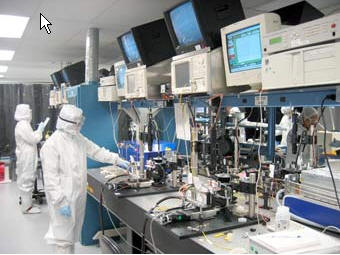
CELLS Workflow MES Product Tracking Manufacturing Execution System Software is built on Open Standards which means more choices for you. CELLS Workflow MES adhere to Microsoft's Open Database Conductivity (ODBC) standard and therefore can exchange data with other executive systems such as ERP and MRP. Other CELLS Workflow MES standards include Active-X Automation and Microsoft Internet Explorer. For example:

When the CELLS Workflow MES Manufacturing Execution System is tracking product in the electronics industry it has the added feature of all the rich display capabilities of our ProntoVIEW-MARKUP program. CELLS Workflow MES can import and display virtually any CAD, ECAD, Gerber or BOM file. Then CELLS Workflow MES displays your PC Board assemblies in rich detail and users can find components, pins, nets, netnames, part numbers, etc. Find shorts between traces (highlight single or multiple traces). Display markup overlays that go on top of the PC Board assembly to create work and assembly instructions. Zoom, pan, rotate, flipping, split-screen display, active schematic view that is hyper-linked to the assembly — find what you are looking for in a fraction of the time it would take with paper prints.

The CELLS Workflow MES Product Tracking Manufacturing Execution System Software brings your users just the documents they need for the assembly and step they are working on right now. When the user scans or types in the ID of the unit he/she is working on, CELLS Workflow MES automatically locates the assembly drawing, plus all documents related to the assembly and its parts. CELLS Workflow MES automatically brings the main document(s) you wish direct to the display screen, other documents needed in that process step are sent to the CELLS Workflow MES View menu where they can be displayed as needed. Also documents can be hyperlinked to items and areas on the main display then clicked on to display that document. Virtually any type of document can be viewed — Adobe PDF, HTML, MS WORD, CAD files, DXF, etc.
Also the CELLS Workflow MES Manufacturing Execution System can display any Internet or Intranet web site at any assembly step. For example the user can view internal HTML documents such as existing inspection procedures that reside on your company's intranet or display a part vendors specification sheet directly from the vendors web site or research data, etc. Use any of the literally hundreds of free or inexpensive tools with which to build your HTML documents (Microsoft Office (WORD, FrontPage, etc. or nearly any word processor).

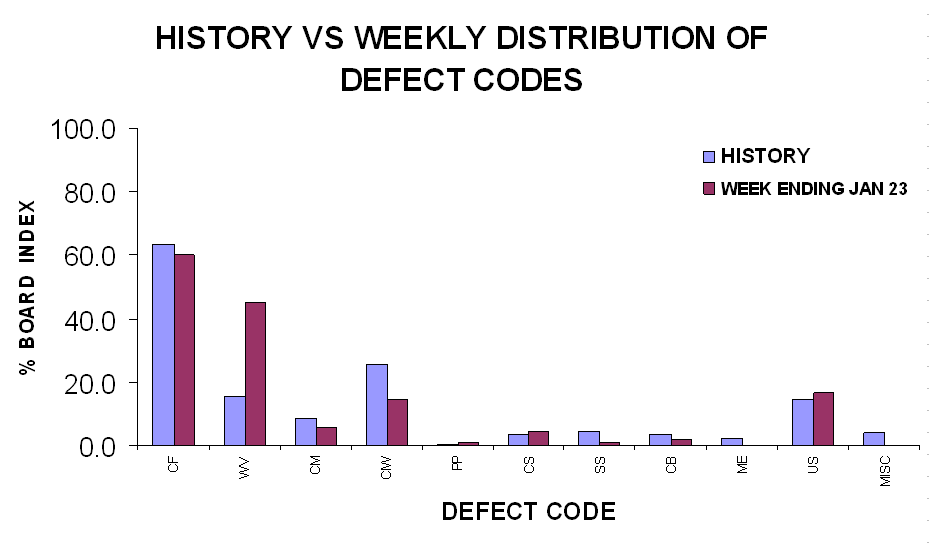
Users scan or key in unit serial numbers in order to get the graphical display of the assembly. In so doing, unit serial number are automatically tracked as they move from station to station. Your technicians are probably writing on defect tags right now. With CELLS Workflow MES Product Tracking Manufacturing Execution System Software, a convenient online form is just one keystroke away, already filled out with most of the required data. In most cases, the tech only needs to pick an exact defect code from a list of suggested codes for the current operation.

Once your work-in-progress, failure/quality or other data is in the CELLS Workflow MES Product Tracking MES Software database, you can report against it with the existing reports available on the CELLS Workflow MES Report menu. Or you can create reports with any report writer or analysis tool that supports ODBC (Crystal Reports, Access, SAS, Excel, etc.) (CELLS Workflow MES REPORTS). You can even publish the reports to your CELLS Workflow MES intranet or provide dynamic report generation through CELLS Workflow MES Manufacturing Execution System or any web browser. For example over the internet your clients, vendors, QA or sales personnel can use their web browser to review current product tracking Order Status, Production Step Cycle Times, run reports on Quality Defects and Trends. No need to gather status and quality data when your key clients request it, it's always available when they need it via secured password protection.
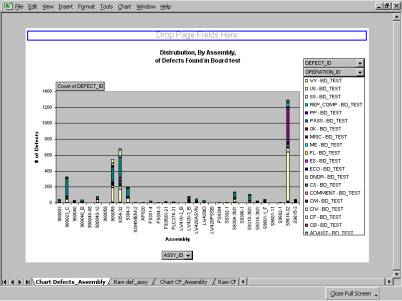
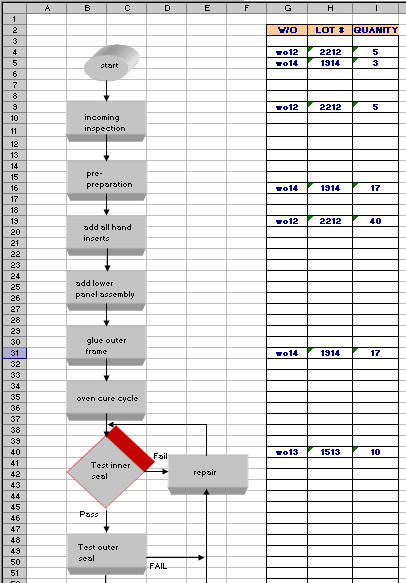
ODBC (Open Database Connectivity) allows the CELLS Workflow MES Manufacturing Execution System software to store its tables in virtually any modern database, including client/server databases such as Microsoft Access, SQL Server and Oracle Server. ODBC also allows the CELLS Workflow MES database to be queried, analyzed, and reported against with a variety of third-party tools (CELLS Workflow MES REPORTS).











Customer Comments
Mike Bitner
ColoradoVNET
Michael Forrestor
Lecroy Corporation
New York
A Unisoft client located in the United States has been using the CELLS Workflow MES Product Tracking MES Software since 1997. This large company makes class 1 medical products under FDA audit. The Unisoft CELLS Workflow MES software tracks their product lines throughout the production process and provides current production status to their Oracle ERP system (JD Edwards EnterpriseOne). A subsidiary of their's located in Canada is selecting a MES tracking software system for their facility and representatives from their plant visited the United States parent company in November of 2005 to look at the Unisoft CELLS Workflow MES Plant Execution System installed there.
Below is a summary of that visit. We are proud of their selection of the Unisoft CELLS Workflow MES Product Tracking Manufacturing Execution System software. If you wish further details on the company please contact Unisoft directly.
Steve Kummel
Chiaro Networks
Customer comments, December 2005, about their ETL and UL certification:
Ed Cook
EBS