
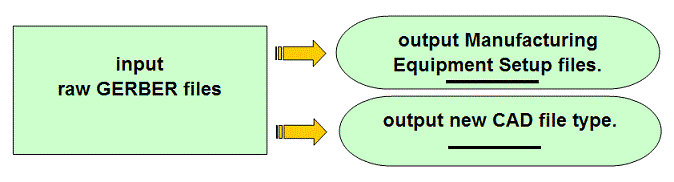
Gerber translation software for using gerber only files to aid PCB assembly ( PCBA ) manufacturing production. Create components, etc. for equipment setup files, PCB assembly ( PCBA ) documents, CAD file export, etc. For use by all departments on the shop floor.
Click here for software download & more information!
Fully functional trial licenses, available at no charge, are normally provided for approximately one month to allow you to try out the software. Let us know if you're interested.
Have you ever found yourself staring at your computer screen, muttering to
yourself, "There has to be a better way to translate these darn Gerber files"
when you only have Gerber files available for a PCB project you're working on?
Well, fear not, because your software hero, ProntoGERBER-CONNECTION, has
arrived! But don't just take my word for it, let's turn to the wisdom of the
great Mark Twain for some inspiration: "Age is an issue of mind over matter. If
you don't mind, it doesn't matter." The same goes for manual Gerber translation
- if you don't mind doing it, then by all means, continue. But if you want to
save time and effort, our ProntoGERBER-CONNECTION software is the solution
you've been looking for!
Used by electronics manufacturers, ProntoGERBER-CONNECTION software imports raw Gerber data and allows the user to add intelligent information to the shapes on the display that is used by all departments on the production floor. ProntoGERBER-CONNECTION includes the basic features of ProntoVIEW-MARKUP.
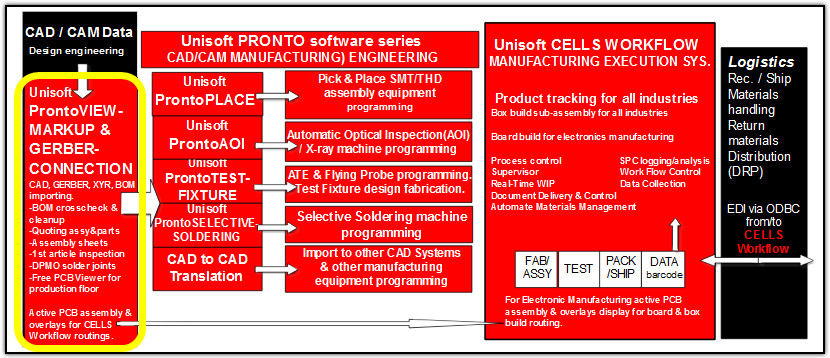
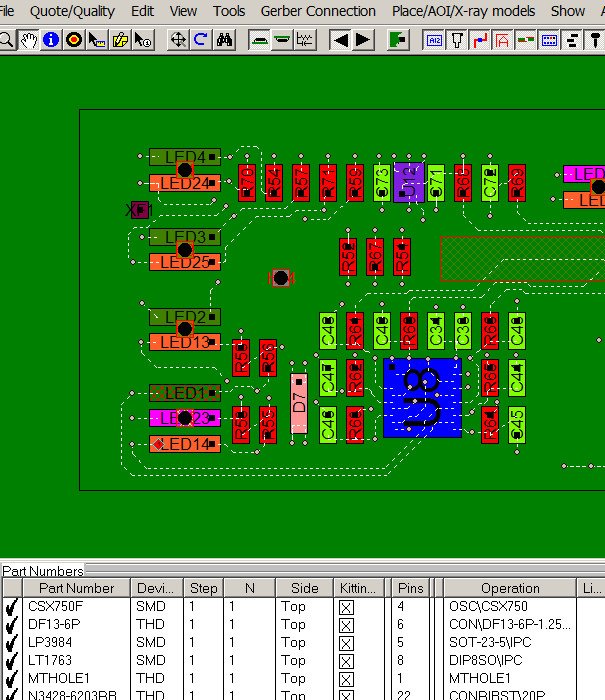
ProntoGERBER-CONNECTION software translates Gerber and Bill of Materials (BOM) files into real reference designators, theta rotation, part numbers, X/Y component pin geometries, values, tolerances, etc. This data is then used by Process Engineers, Test Engineers and others to optionally program their SMT, Thru-hole Automatic Assembly Equipment, AOI,Test Equipment, create assembly documents, aid inspection, etc. Download Software: Try our trial software at no cost. Start using the fully licensed version for as little as $600. For over 40 years, Unisoft has delivered exceptional value.
ProntoGERBER-CONNECTION solves the problem that many electronic manufatures find themselves in which is that they do not have the native CAD files for their project. Having only the raw Gerber Files and a BOM (Bill Of Materials) for a project is difficult when you need to program production equipment such as assembly Pick & Place, AOI Inspection, ATE Test, Selective Soldering, etc. You may also need to create assembly documents, aid inspection, etc. The Unisoft ProntoGERBER-CONNECTION software can solve these problems.
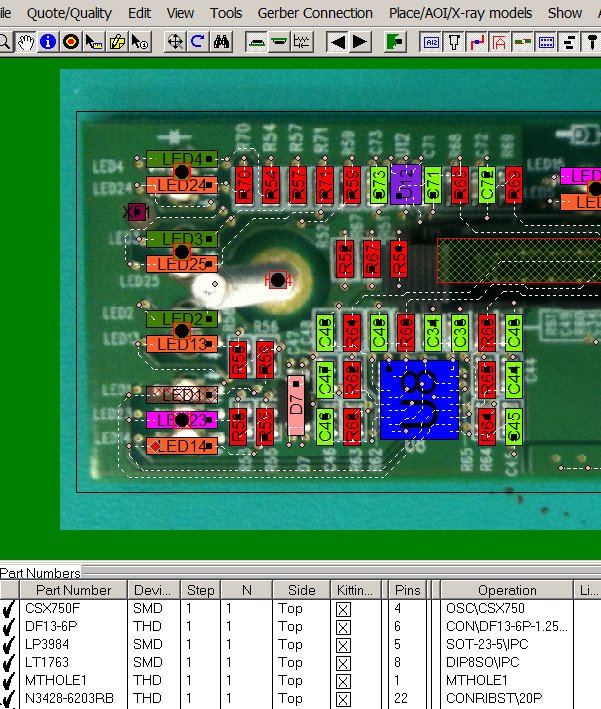
ProntoGERBER-CONNECTION also includes, at no additional charge, the basic features of ProntoVIEW-MARKUP and is used by PCB assembly ( PCBA ) electronic manufacturers with features such as detailed viewing of PC board assemblies and the creation of documents, etc. required throughout the PCB assembly ( PCBA ) process. The software increases efficiency, communications and reduces errors across the production floor. With over 100 features ProntoVIEW-MARKUP aids every department every day on the shop floor of PCB assembly ( PCBA ) manufacturers where it is used by management, assembly, inspection, design, Test, troubleshooting technicians and other personnel. The software creates assembly instructions with unique colors for each part number and step in the assembly process and generates matching kitting labels. Locate any component, pin or part number, finds shorts between traces, netlist, paperless hyperlinked schematic linked to the asssembly, add annotation notes and graphics. The software provides fast PC Board first article inspection and general inspection. Create reports containing device and package type counts with quotation and cost estimations, etc. With a current license distribute the Unisoft included PC Board viewer software to your production floor, vendors, customers, etc. to aid assembly, 1st article inspection, general inspection, repair/rework, technician debug, for better communications, etc. If needed ProntoVIEW-MARKUP can be controlled remotely from your application or equipment via the supplied external API programming interface.
To start or schedule a meeting
Click Here or email us (enable JavaScript for our email addresscad-to-cad.php) or call us (enable JavaScript for our phone number).
In our meeting, we can follow any direction you prefer, for instance:
-- Talk about your requirements, software inquiries, and other concerns.
-- Software demonstrations & training. We have the option to process one of your PC Boards or demonstrate the software using our own data files.
-- Provide you with a fully functional trial version of the software license.
-- etc.
Some features of ProntoGERBER-CONNECTION:
The ProntoGERBER-CONNECTION software also includes the basic features of ProntoVIEW-MARKUP:
Other features in the Unisoft software suite:
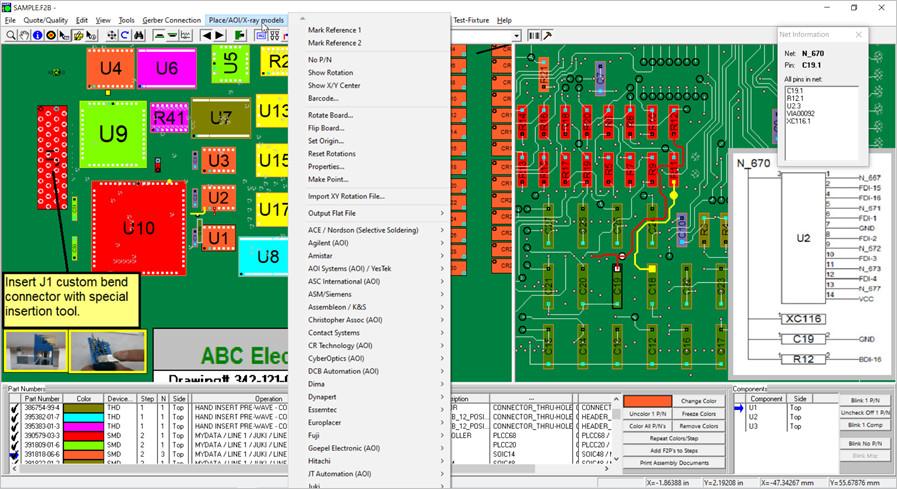
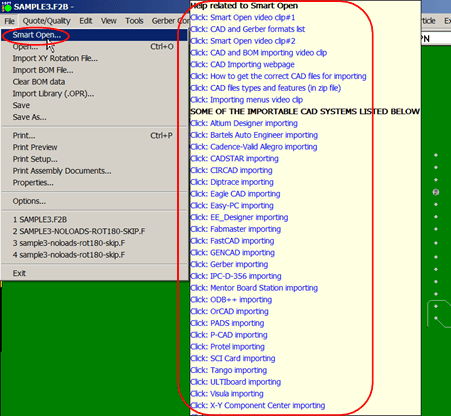
The trial software has HELP for most menu items by hovering over the menu item for a second then click any of the videos, manual or website links to learn about the software.
VIDEO: Click the video above for product overview.
VIDEO: NETLIST from Gerber — This video above will review the ASSIGN NETS feature of the Unisoft software which creates PCB assembly ( PCBA ) netlists from only gerber data files.
Please double check that your email address is correct.
Email addresses are kept private.
The software download link, more information and periodic updates will be sent to this address.
Optionally to receive your software call us (enable JavaScript for our phone number).

The basic features of ProntoVIEW-MARKUP are included at no additional charge and adds features such as detailed viewing of PC board assemblies and the creation of documents, etc. required throughout the PCB assembly ( PCBA ) process. The software increases efficiency, communications and reduces errors across the production floor. With over 100 features aids every department every day on the shop floor of PCB assembly ( PCBA ) manufacturers where it is used by management, assembly, inspection, design, Test, troubleshooting technicians and other personnel.
The information and figures that follow outline a few of the features of ProntoVIEW-MARKUP or go to the ProntoVIEW-MARKUP page for more detail.
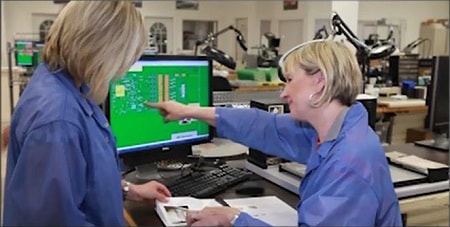
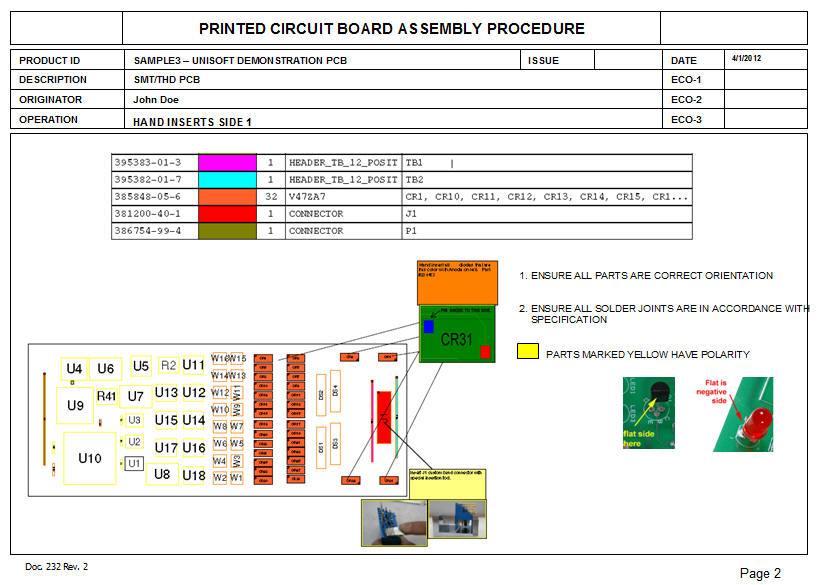
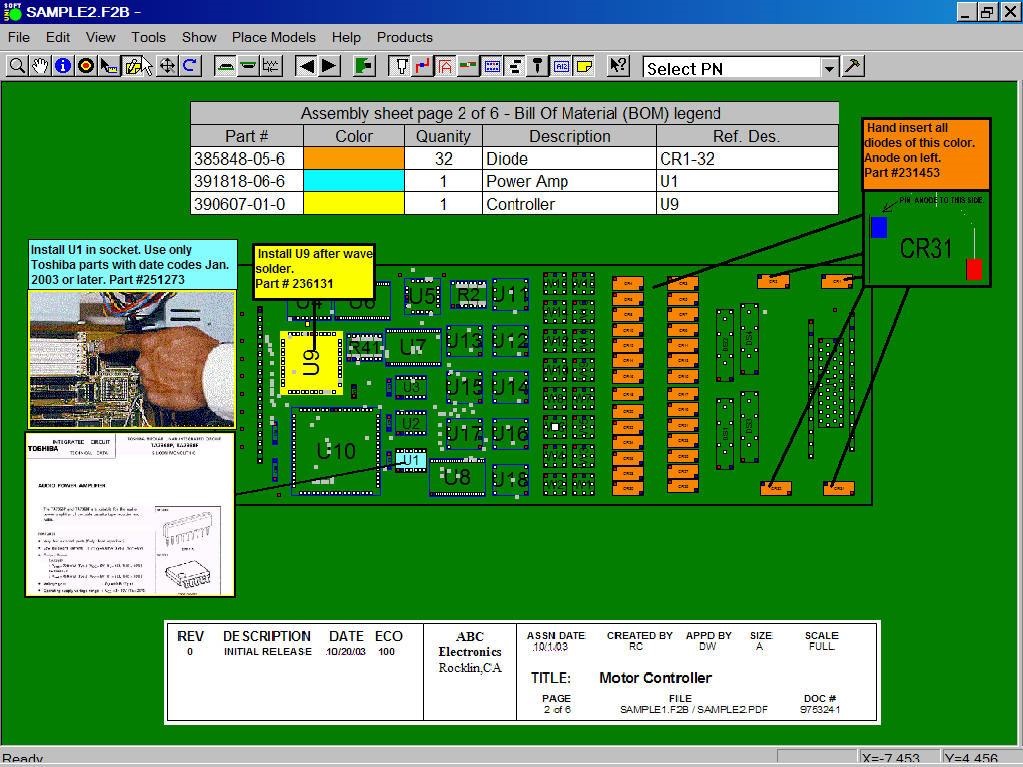
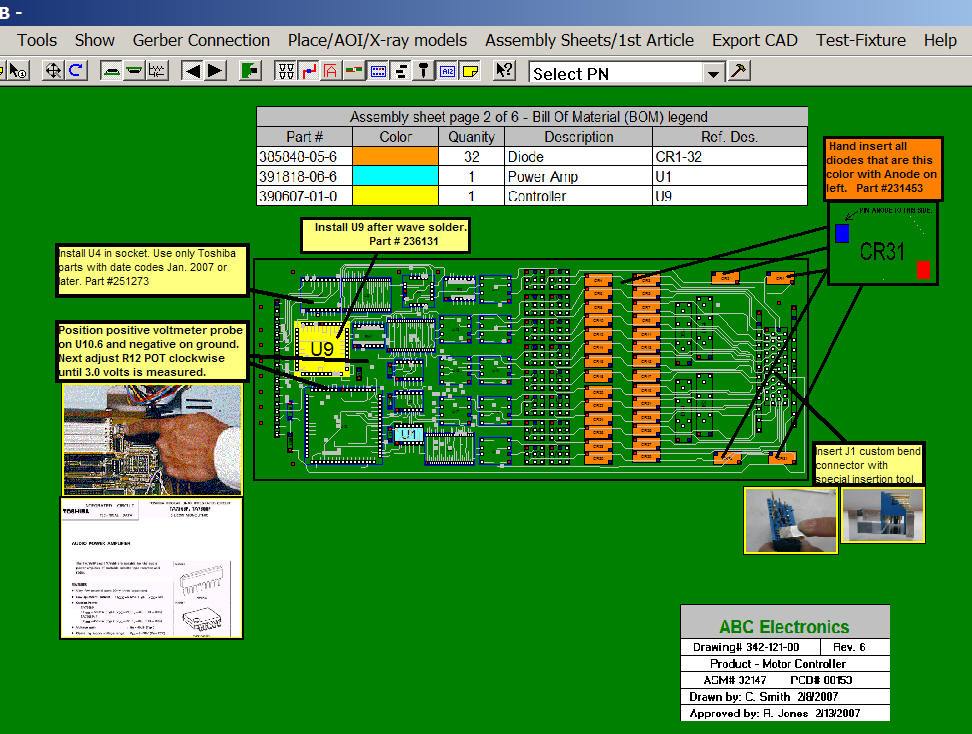
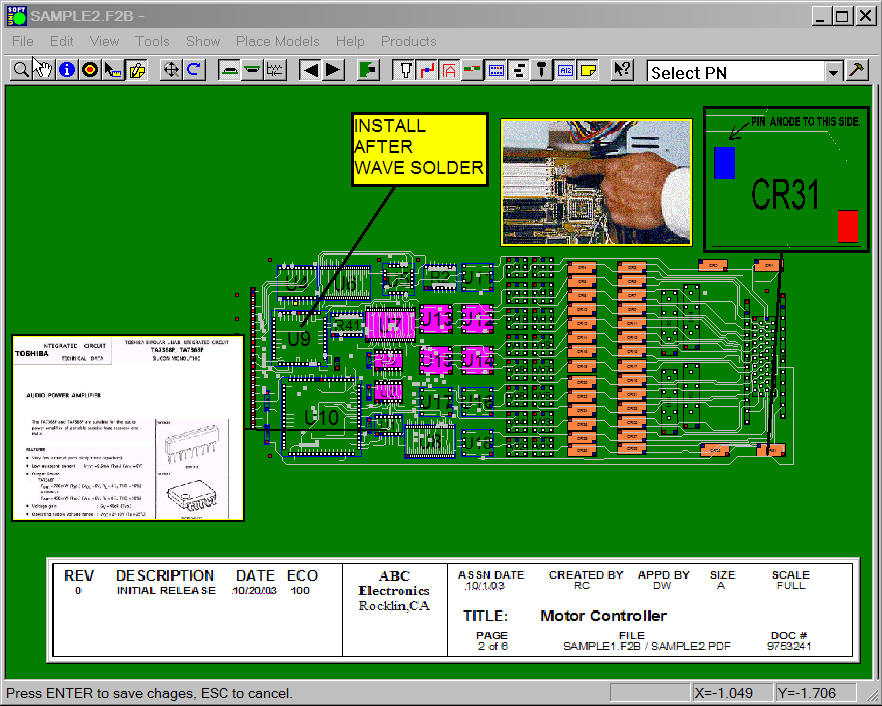
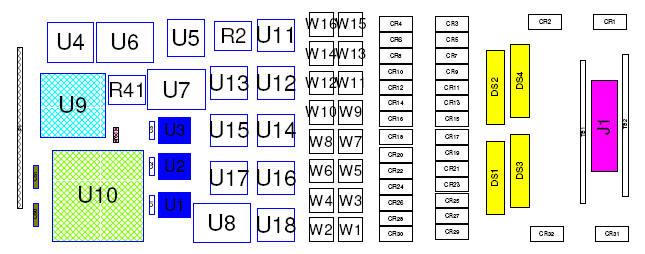
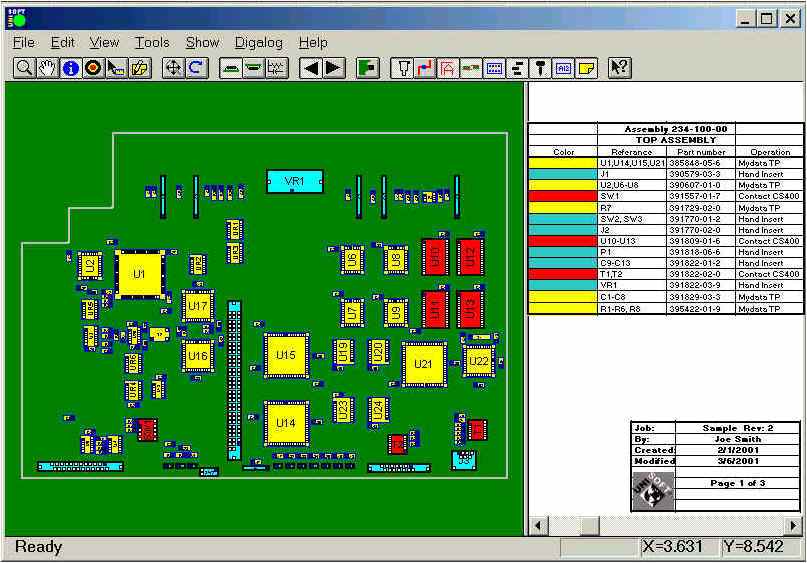
The Unisoft software allows you to quickly create matching assembly lists and assembly drawing sheets for each step in the assembly process. Part numbers are automatically assigned to the assembly step you wish (for example: Step 1 for Hand Inserts, Step 2 Chip Shooter components, etc). The part numbers are then automatically uniquely colored. If needed, overlay annotation notes can be added to each step. Next for each step matching assembly lists and assembly drawings are created. These drawings can either be printed or save to a file (PDF Adobe, etc.) or displayed on the screen.
Download a sample of process and assembly sheet documentation created by this software.
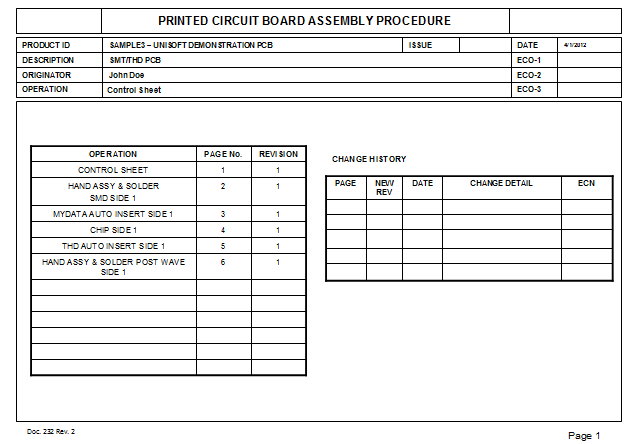
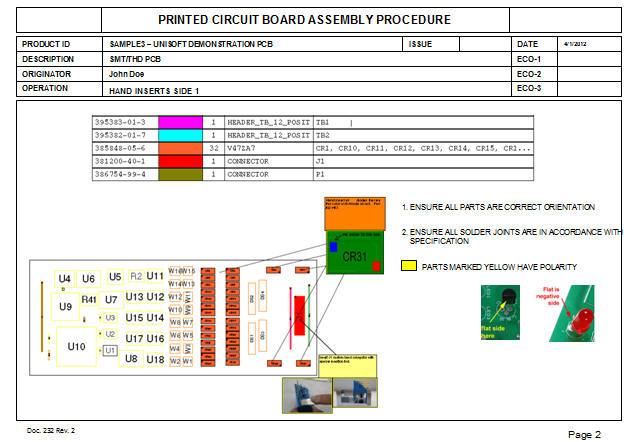
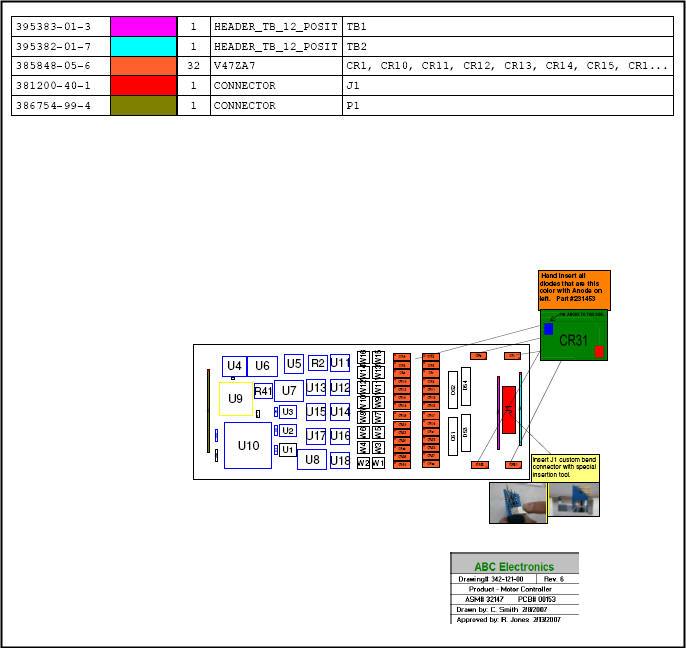
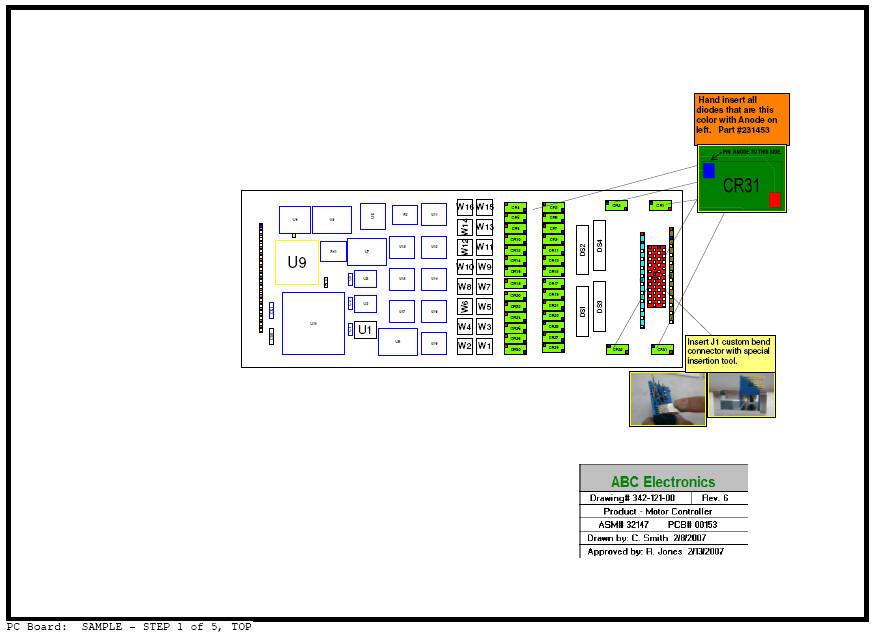
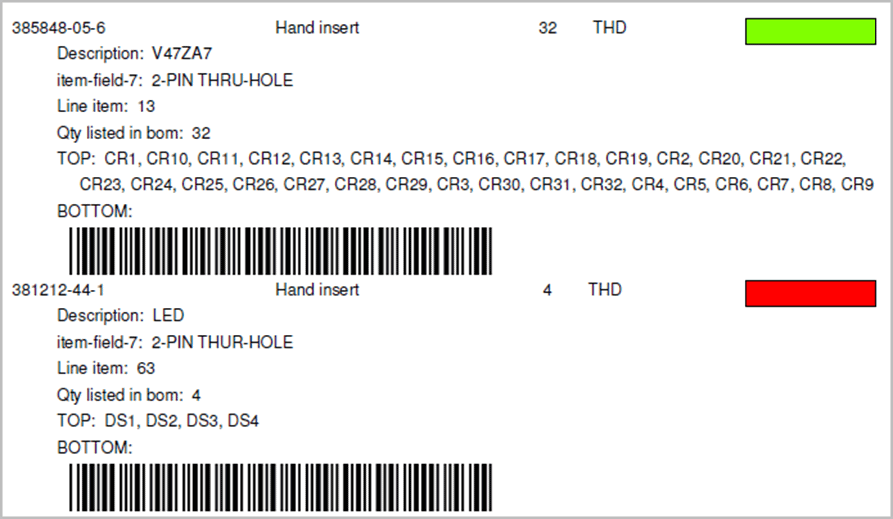
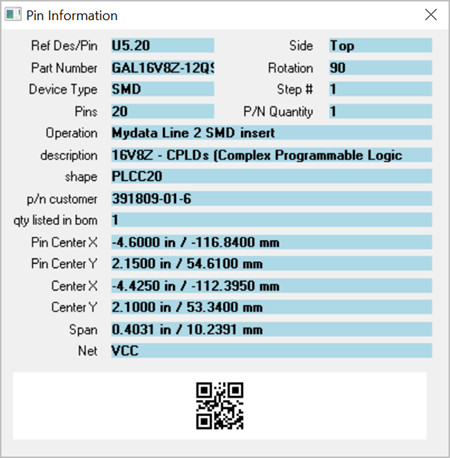
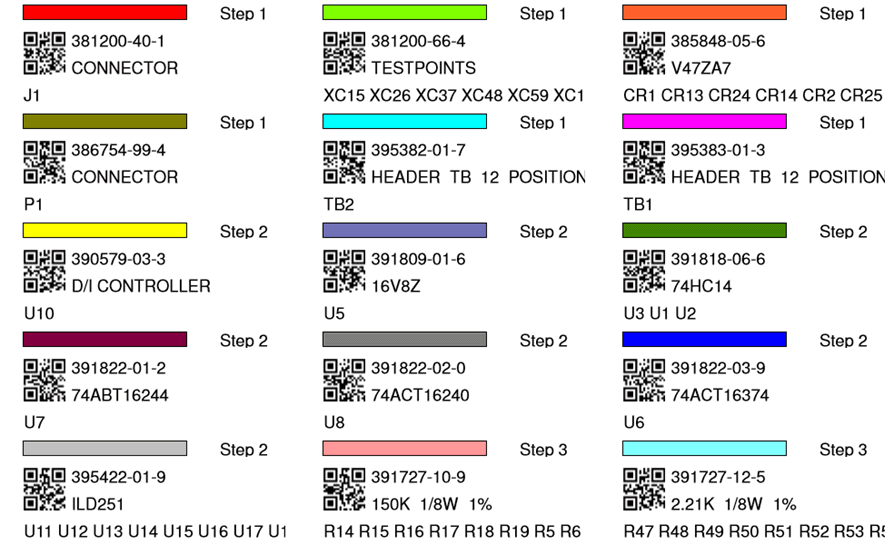
The Unisoft software allows you to quickly create Kitting Labels with barcodes for fast and accurate electronic component kitting. Quickly select the component part numbers for which you wish kitting labels created. Each label contains the part number, unique part number color, step number, p/n description, reference designator, etc. Fast and easy electronic kitting labels for kitting work orders.
Barcodes of various types can be printed on the kitting labels and shown on the display for quick kitting,
fast assembly machine feeder loading, verification, inspection, etc.: 2d-qr code, 2d-data matrix, etc.

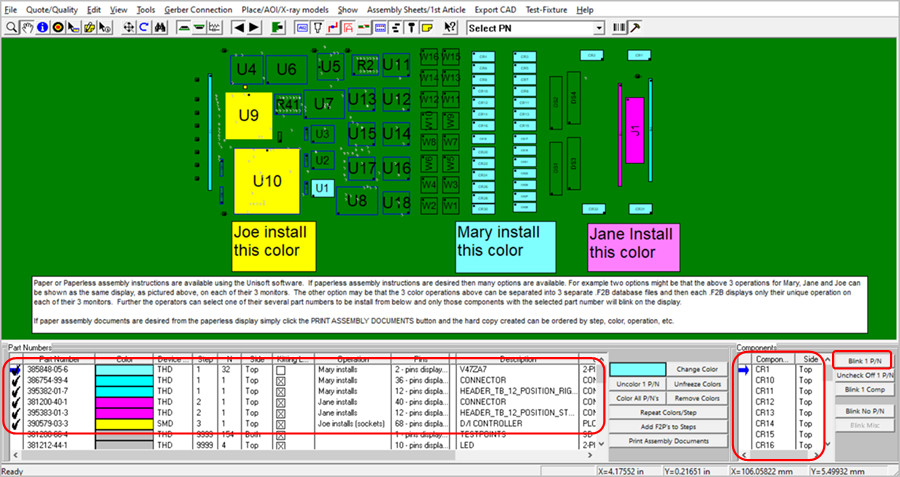
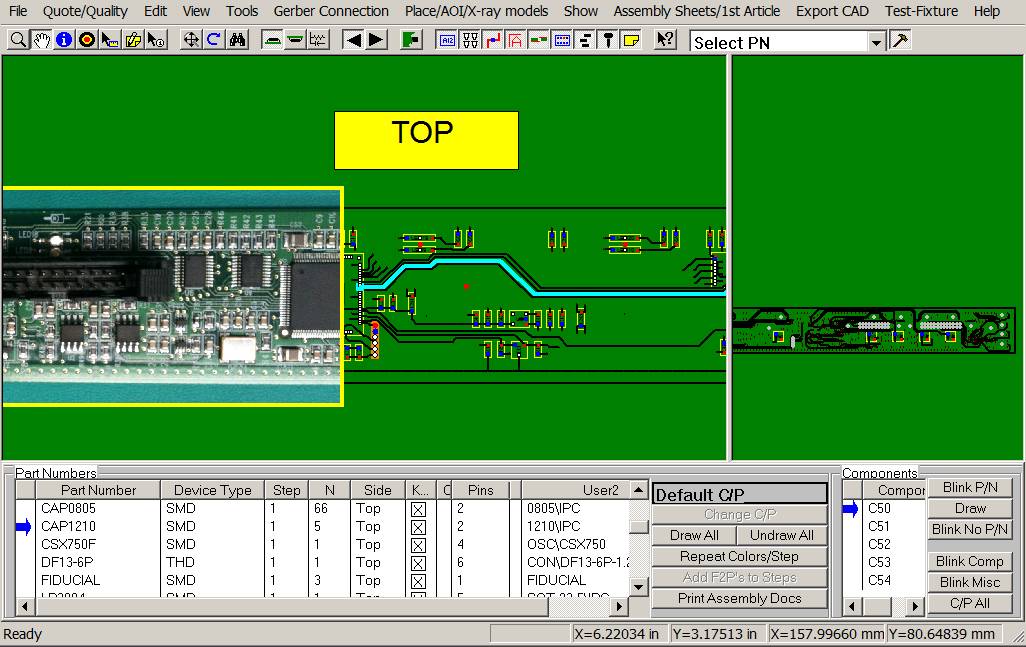
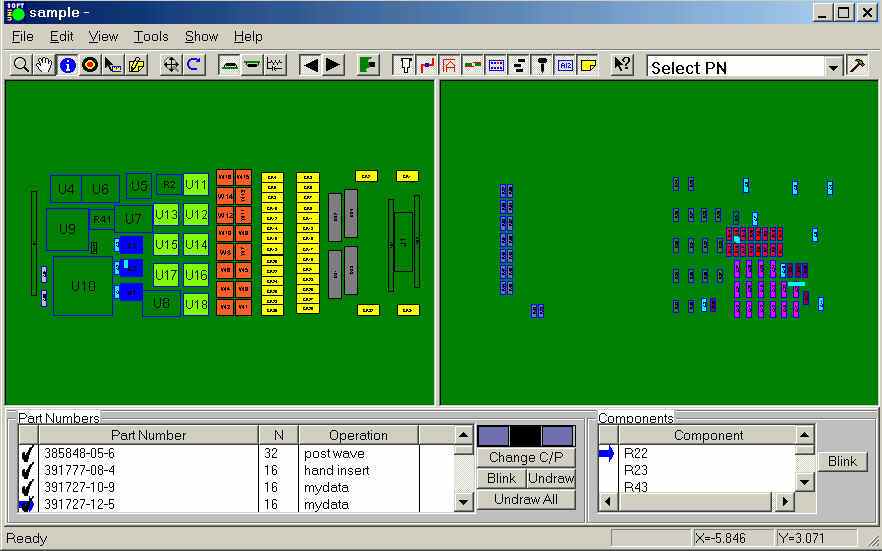
Paper or Paperless assembly instructions are available using the Unisoft software. If paperless assembly instructions are desired then many options are available. For example two options might be that the below 3 operations for Mary, Jane and Joe can be shown as the same display, as pictured above, on each of their 3 monitors. The other option may be that the 3 color operations above can be separated into 3 separate .F2B database files and then each .F2B displays only their unique operation on each of their 3 monitors.
Further the operators can select one of their several part numbers to be install from below and only those components with the selected part number will blink on the display.
If paper assembly documents are desired from the paperless display simply click the PRINT ASSEMBLY DOCUMENTS button and the hard copy created can be ordered by step, color, operation, etc.
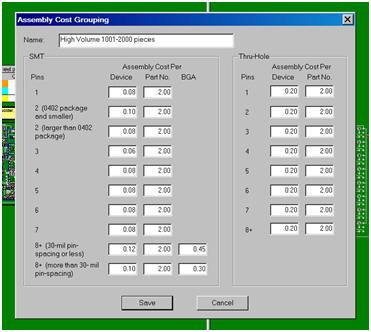
Import your PC Board into the Unisoft manufacturing software and you instantly receive a report containing component counts for top and bottom of the PC Board broken down by SMT, Fine pitch, BGA's, Thru-hole, etc. with the cost for each group. You can create as many PCB assembly ( PCBA ) Cost templates as you wish, for example one each for either a Low, Medium or High volume build. This is a great quoting time saver for Contract and OEM manufacturers.
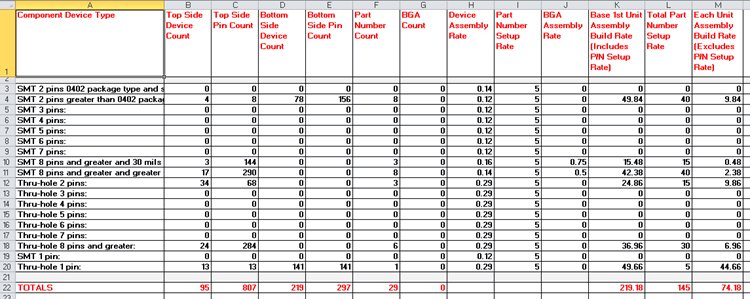
Example of a few lines of a report follows:
PC Board:   123-456
Date:       1-22-2013

    Base 1st Unit Assembly Build Rate (Includes P/N Setup Rate) = 219.18

    Each Unit Assembly Build Rate (Excludes P/N Setup Rate)     = 74.18

    Total Part Number Setup Rate                                = 145.00
________

SMT 2 pins greater than 0402 package type:  Greater than .040 inch distance between pin 1 and 2.
    Top      -  4 = total device count, 8 = total pin count
    Bottom   -  78 = total device count, 156 = total pin count
    Part #'s -  8 = total part numbers
    Base Rate:  49.84 = (0.12 * device count) + (5.00 * part #'s)

SMT 8 pins and greater and 30 mils or less pin spacing (fine pitch):
    Top      -  3 = total device count, 144 = total pin count
    Bottom   -  0 = total device count, 0 = total pin count
    Part #'s -  3 = total part numbers
    BGA's    -  0 = included in above count.
    Base Rate:  15.48 = (0.16 * device count) + (5.00 * part #'s) + (0.75 * BGA count)
Instantly create a component part cost report. This report is used by Contract and OEM manufacturers to quickly estimate component parts costs. The report contains the total component part cost for the PC Board and breakdown by part number.
Report type: Parts count with quotation and cost estimation.

PC Board: Controller
Date: 1-12-09
Total parts cost = $43.31
____
| 381200-40-1 | 1 | $0.23 | $0.23 |
| 381212-44-1 | 4 | $0.07 | $0.28 |
| 385848-05-6 | 32 | $0.45 | $14.40 |
| 386754-99-4 | 1 | $0.16 | $0.16 |
| 389148-06-7 | 1 | $0.06 | $0.06 |
| 390579-03-3 | 1 | $0.80 | $0.80 |
| 390607-01-0 | 1 | $0.65 | $0.65 |
| 391727-10-9 | 16 | $0.04 | $0.56 |
| 391727-12-5 | 16 | $0.04 | $0.64 |
Instantly create a report of the total solder joint count for Defect Per Million Operations (DPMO). This report is used by Contract and OEM manufacturers for quality tracking. The report contains the total solder joints for the PC Board broken down by SMT and Thru Hole and part number.
Report type: Solder joint count with quotation and DPMO estimation.

PC Board: Controller
Date: 1-12-09

Total Solder Joints = 1104
Total SMT Solder Joints = 598
Total Thru Hole Solder Joints = 506
____

SMT 2 pins greater than 0402 package type: Greater than .040 inch distance between pin 1 and 2.
    Top - 4 = total device count, 8 = total pin count
    Bottom - 78 = total device count, 156 = total pin count
    Part #'s - 8 = total part numbers

SMT 8 pins and greater and greater than 30 mils pin spacing:
    Top - 17 = total device count, 290 = total pin count
    Bottom - 0 = total device count, 0 = total pin count
    Part #'s - 8 = total part numbers
    BGA's - 0 = included in above count.

Thru-hole 2 pins:
    Top - 34 = total device count, 68 = total pin count
    Bottom - 0 = total device count, 0 = total pin count
    Part #'s - 3 = total part numbers

Thru-hole 8 pins and greater:
    Top - 24 = total device count, 284 = total pin count
    Bottom - 0 = total device count, 0 = total pin count
    Part #'s - 6 = total part numbers
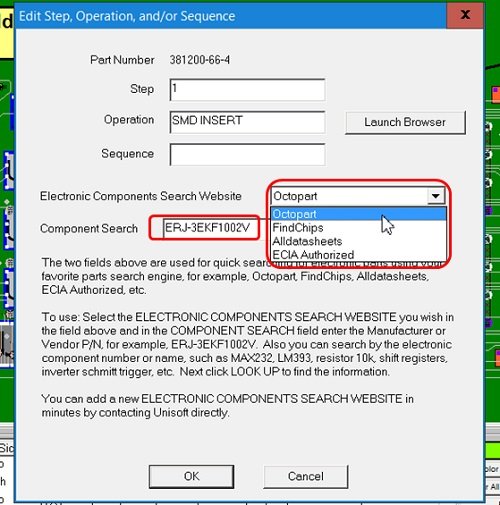
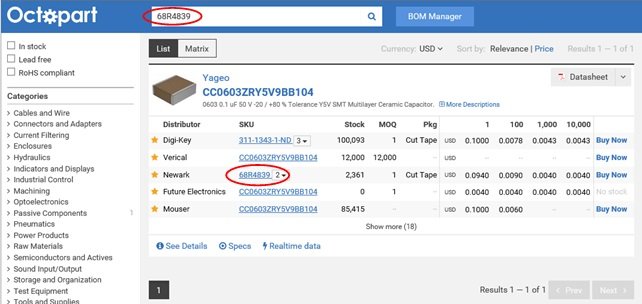
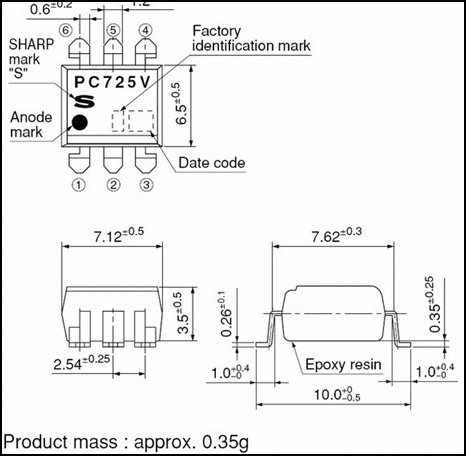
The Electronic Components Search feature helps you find information such as cost, availability, part shape, electrical specifications, etc. Provides fast searching for electronic parts using your favorite parts search engine for example Octopart, FindChips, Alldatasheets, ECIA Authorized, etc.
Search for electronic parts using the Manufacturer or Vendor P/N for example ERJ-3EKF1002V. Also search by the electronic component number or name such as MAX232, LM393, resistor 10k, shift registers, inverter schmitt trigger, etc.
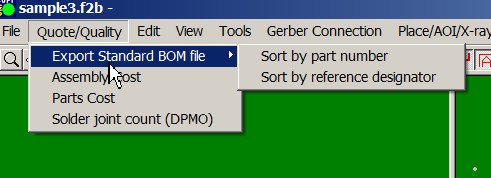
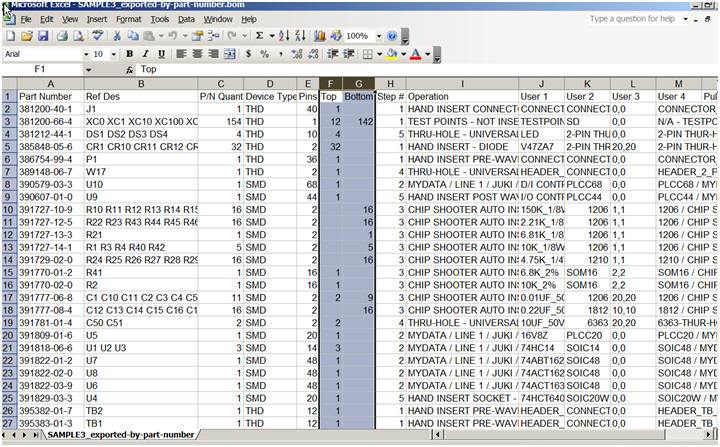
All types of Bill of Material (BOM) formats can be imported into the Unisoft software and then exported to normalized standard BOM formats that can then be utilized by your other manufacturing software systems such as Part Sourcing, MRP, ERP, etc.
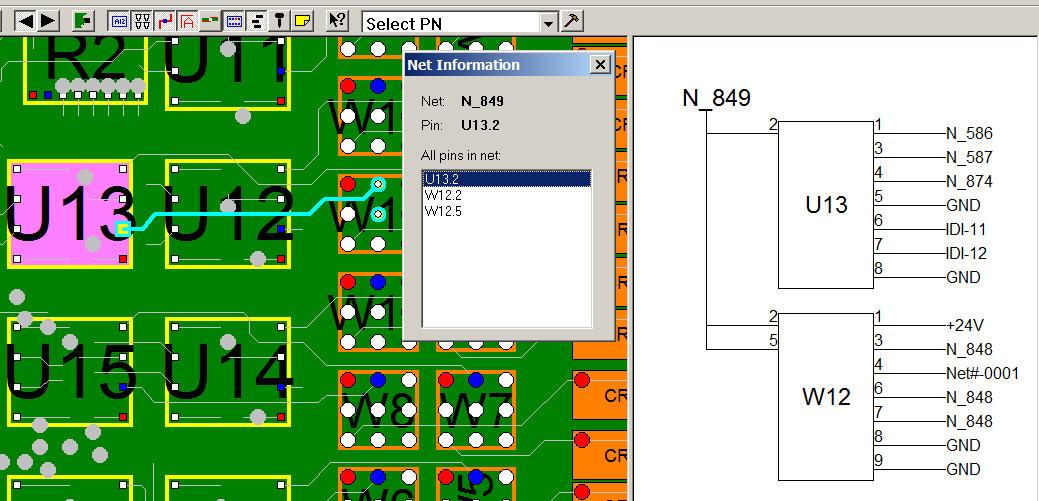
Easier drill down to component pins, trace runs and schematic. Display NETLISTS quickly using the "NET INFORMATION" window that displays the NET NAME of the selected component and pin and all the other pins on the net. The trace run of the selected net is highlighted and all pins on the net blink. If the schematic view is displayed then the net chosen is shown. The user can then select any one of the other pins on the net in the NET INFORMATION box. The result is the NET INFORMATION window will update to the new selected pin and the selected trace highlighted will update also. If the schematic view is displayed then that view will refresh too.
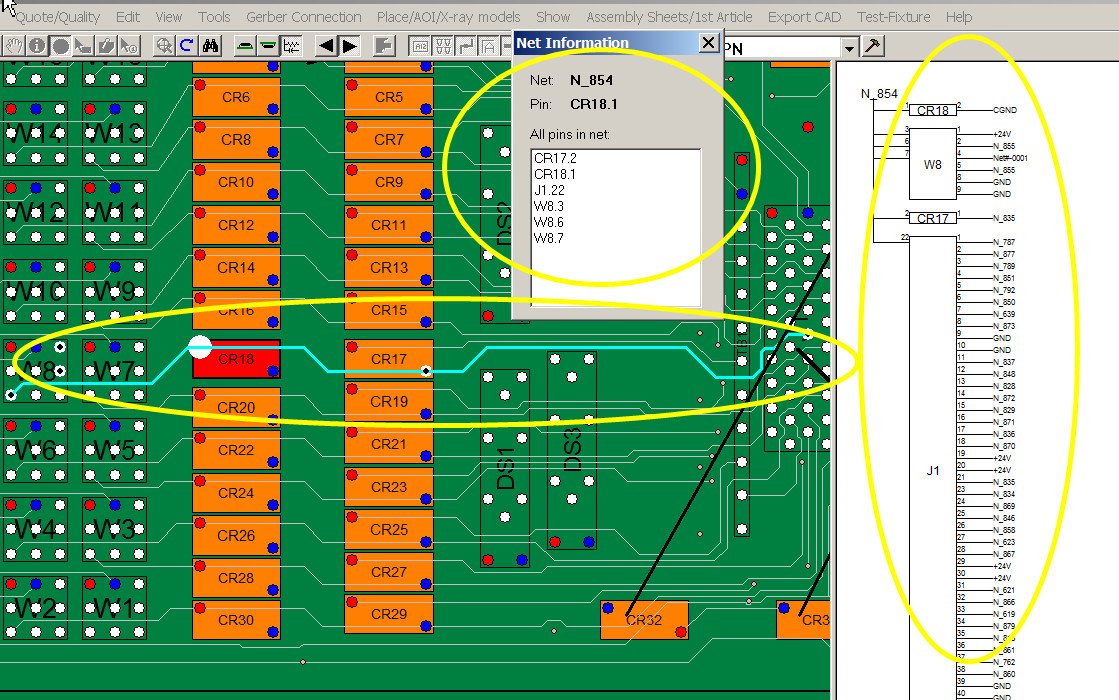
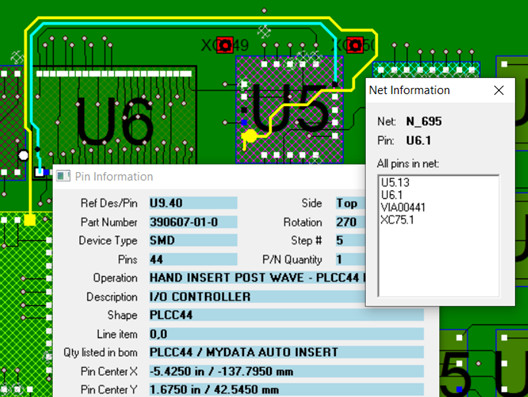
Find shorts between traces, netlists, netnames, component information, etc.
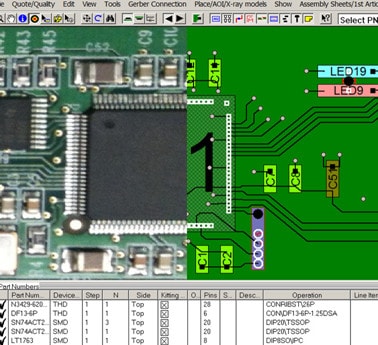
The Unisoft software outputs a single board file of the PCB assembly ( PCBA ) that is compatible with the included PCB assembly ( PCBA ) viewer. Customers with a current license can distribute the PCB assembly ( PCBA ) viewer and the Unisoft PCB assembly ( PCBA ) board file to your production floor, other divisions, vendors, customers, etc. to aid assembly, first article inspection, general inspection, repair/rework, technician debug, for enhanced communications, etc.
Unisoft: Manufacturing software since 1985